
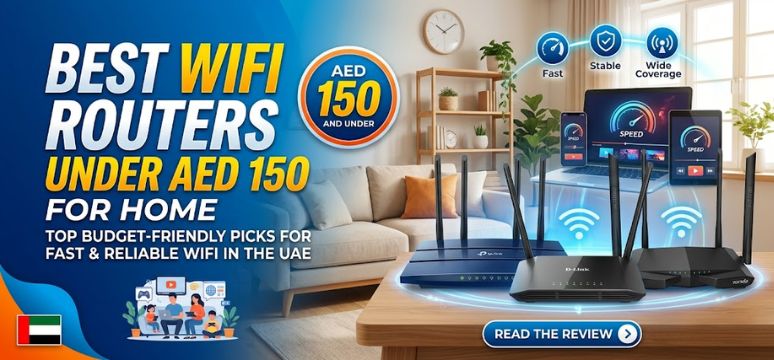
In today’s hyper-connected world, reliable internet is no longer a luxury—it is a necessity. Whether we are working remotely, streaming high-definition content, gaming online, or managing smart home devices, a high-performance WiFi router becomes the backbone of our digital lifestyle. However, premium routers often come with hefty price tags, leaving many users searching for affordable yet powerful alternatives.
We have meticulously crafted this comprehensive guide to the best WiFi routers under AED 150, ensuring you get maximum value, performance, and reliability without overspending. This guide dives deep into features, performance benchmarks, coverage capabilities, security standards, and real-world usability, helping you make an informed decision.
Why Choose a Budget WiFi Router Under AED 150?
When chosen wisely, a router in this price range can deliver exceptional performance for small to medium-sized homes, apartments, and offices.
Key Advantages
-
Cost-effective connectivity without compromising essential features
-
Ideal for basic to moderate internet usage
-
Compact designs suitable for limited spaces
-
Easy installation and user-friendly setup interfaces
Key Features to Consider Before Buying
1. Wireless Standard (WiFi 4 vs WiFi 5)
We strongly recommend choosing routers with WiFi 5 (802.11ac) support for:
-
Faster speeds
-
Better device handling
-
Improved streaming performance
2. Speed Ratings
Look for routers offering:
-
300 Mbps (basic usage)
-
750 Mbps to 1200 Mbps (recommended for multiple devices)
3. Coverage Area
Budget routers typically cover:
-
1BHK / studio apartments – 300–800 sq. ft.
-
Dual antennas improve signal strength and stability
4. Band Support
-
Single-band (2.4 GHz) – longer range, slower speeds
-
Dual-band (2.4 GHz + 5 GHz) – faster speeds, reduced interference
5. Security Features
Ensure the router supports:
-
WPA2 / WPA3 encryption
-
Built-in firewall
-
Guest network options
Top 10 Best WiFi Routers Under AED 150
1. TP-Link TL-WR840N – Best for Basic Home Use
Key Highlights
-
Speed up to 300 Mbps
-
Two powerful antennas
-
Easy setup interface
Why We Recommend It
We consider this router ideal for light browsing, social media, and standard video streaming.
2. D-Link DIR-615 – Reliable Budget Performer
Key Highlights
-
300 Mbps speed
-
Advanced firewall protection
-
Stable connectivity
Performance Insight
This model delivers consistent performance for everyday internet usage, making it a dependable choice.
3. Tenda N301 – Affordable and Efficient
Key Highlights
-
300 Mbps wireless speed
-
Easy configuration
-
Strong signal stability
Best Use Case
Perfect for small apartments and limited device usage.
4. Mercusys MW305R – Strong Signal Coverage
Key Highlights
-
300 Mbps speed
-
Three antennas for extended coverage
-
Parental control support
Why It Stands Out
We found its coverage surprisingly strong for its price range.
5. TP-Link TL-WR841N – Balanced Performance
Key Highlights
-
300 Mbps speed
-
Dual antennas
-
Stable long-range connectivity
Best For
Users seeking a balance between performance and affordability.
6. Xiaomi Mi Router 4C – Modern Design & Performance
Key Highlights
-
300 Mbps speed
-
Four high-gain antennas
-
Smart app control
Why It’s Popular
We appreciate its sleek design combined with reliable connectivity.
7. Tenda F3 – Best for Wide Coverage
Key Highlights
-
300 Mbps speed
-
Three external antennas
-
Enhanced signal strength
Performance Advantage
Ideal for larger spaces within the budget segment.
8. Netis WF2419E – Budget-Friendly Stability
Key Highlights
-
300 Mbps speed
-
Easy installation
-
Stable connection
Ideal Use
Great for students and small households.
9. D-Link DIR-806A – Dual Band Under Budget
Key Highlights
-
Dual-band (2.4 GHz + 5 GHz)
-
750 Mbps combined speed
-
Advanced security features
Why It’s a Game Changer
One of the few dual-band routers available in this price category.
10. Mercusys AC10 – Best Value Dual-Band Router
Key Highlights
-
AC1200 speed
-
Dual-band support
-
Four antennas
Top Recommendation
We rank this as the best overall router under AED 150 due to its performance-to-price ratio.
Comparison Table – Best Routers Under AED 150
| Router Model | Speed | Band Type | Antennas | Best For |
|---|---|---|---|---|
| TP-Link WR840N | 300 Mbps | Single | 2 | Basic usage |
| D-Link DIR-615 | 300 Mbps | Single | 2 | Stability |
| Tenda N301 | 300 Mbps | Single | 2 | Budget buyers |
| Mercusys MW305R | 300 Mbps | Single | 3 | Coverage |
| Xiaomi 4C | 300 Mbps | Single | 4 | Modern users |
| D-Link DIR-806A | 750 Mbps | Dual | 2 | Streaming |
| Mercusys AC10 | 1200 Mbps | Dual | 4 | Best overall performance |
Performance Optimization Tips
To maximize your router’s efficiency:
-
Place it in a central location
-
Avoid obstacles like walls and metal objects
-
Update firmware regularly
-
Use 5 GHz band for high-speed tasks
-
Secure your network with strong passwords
Single Band vs Dual Band – What Should You Choose?
Single Band
-
Better range
-
Slower speeds
-
Ideal for basic usage
Dual Band
-
Faster speeds
-
Handles multiple devices
-
Ideal for streaming and gaming
Common Mistakes to Avoid
-
Buying based only on price
-
Ignoring coverage requirements
-
Overlooking security features
-
Not checking ISP compatibility
Who Should Buy Routers Under AED 150?
These routers are perfect for:
-
Students
-
Small families
-
Remote workers with moderate usage
-
Budget-conscious users
FAQs
1. Are routers under AED 150 good for streaming?
Yes, especially dual-band routers for HD streaming.
2. Can I use these routers for gaming?
Basic gaming is possible, but low latency depends on ISP speed.
3. How long do budget routers last?
Typically 3–5 years with proper usage.
4. Do these routers support smart homes?
Yes, but limited to small device ecosystems.
5. Is dual-band necessary?
Highly recommended for better performance and multitasking.
6. Can I extend coverage?
Yes, using range extenders or mesh systems.
7. Are these routers easy to install?
Yes, most come with plug-and-play setup.
8. Do they support parental controls?
Many models offer basic parental control features.
9. What is the best router under AED 150?
Mercusys AC10 is the best overall choice.
10. Can I connect multiple devices?
Yes, but performance depends on bandwidth distribution.
11. Do they support fiber internet?
Yes, if connected via a compatible modem.
12. What speeds can I expect?
Up to 1200 Mbps (dual-band models).
13. Are firmware updates available?
Yes, from official manufacturer websites.
14. Can I mount them on walls?
Most models support wall mounting.
15. Do they overheat?
Rarely, if placed in a ventilated area.
16. Are they secure?
Yes, with WPA2/WPA3 encryption.
17. Do they support VPN?
Limited support in budget models.
18. Can I use them as repeaters?
Some models offer repeater mode.
19. Do they have mobile apps?
Brands like Xiaomi provide app-based control.
20. Are antennas adjustable?
Yes, in most models.
21. Do they support IPTV?
Some models do, check specifications.
22. Can I upgrade firmware easily?
Yes, via admin dashboard.
23. Are dual-band routers worth it?
Absolutely, for better speed and stability.
24. Do they support guest networks?
Yes, in many models.
25. What is the ideal placement?
Central and elevated for maximum coverage.
For more information and to start using Roobae.com, visit our official website and download the app to stay updated on the best deals and offers. With Roobae.com, you can ensure that every shopping experience is not just an opportunity to shop but an opportunity to save big