
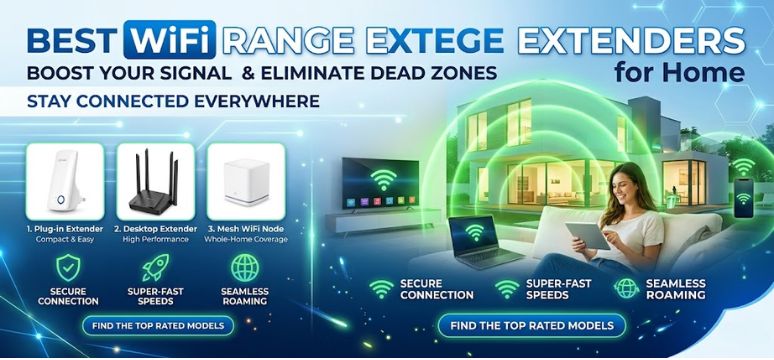
In today’s hyper-connected world, strong and uninterrupted internet connectivity is no longer a luxury—it is a necessity. Whether we are working remotely, streaming high-definition content, gaming online, or managing smart home devices, weak WiFi signals can disrupt productivity and user experience. This is where WiFi range extenders step in as a powerful solution.
In this comprehensive guide, we explore the best WiFi range extenders of 2026, diving deep into performance, coverage, speed, compatibility, and advanced features. We aim to help you make an informed decision by presenting detailed insights, comparisons, and practical recommendations.
What Is a WiFi Range Extender and Why It Matters
A WiFi range extender, also known as a repeater or booster, amplifies your existing wireless signal and extends it to areas where your router cannot reach effectively.
Key Benefits
-
Eliminates dead zones in large homes or offices
-
Enhances streaming and gaming performance
-
Improves connectivity for multiple devices
-
Cost-effective alternative to upgrading routers
How We Selected the Best WiFi Range Extenders
We evaluated devices based on:
-
Coverage area and signal strength
-
Speed performance (Mbps and bands)
-
Ease of setup and usability
-
Compatibility with routers
-
Security features
-
Value for money
Top WiFi Range Extenders in 2026
1. TP-Link RE700X – Best Overall Performance
The TP-Link RE700X stands out as a premium WiFi 6 range extender designed for high-speed and large-area coverage.
Key Features
-
Dual-band WiFi 6 technology
-
Speeds up to 3000 Mbps
-
Smart roaming support
-
OneMesh compatibility
Why It Excels
We find that its seamless connectivity and ability to handle multiple devices simultaneously make it ideal for modern households.
2. Netgear Nighthawk EAX80 – Best for Large Homes
For expansive spaces, the Netgear Nighthawk EAX80 delivers unmatched coverage.
Key Features
-
Quad-stream WiFi 6
-
Coverage up to 2500 sq. ft.
-
Advanced security protocols
-
Gigabit Ethernet ports
Performance Insight
Its high-performance antennas ensure stable connectivity even through thick walls and multiple floors.
3. D-Link DAP-X1870 – Best Budget WiFi 6 Extender
The D-Link DAP-X1870 offers exceptional value without compromising performance.
Key Features
-
Affordable WiFi 6 solution
-
Speeds up to 1800 Mbps
-
Compact design
-
Easy setup via mobile app
Why Choose It
We recommend this for users seeking budget-friendly performance with modern features.
4. Asus RP-AX58 – Best for Gaming and Streaming
Gamers and streamers require low latency and stable speeds, and the Asus RP-AX58 delivers exactly that.
Key Features
-
AiMesh compatibility
-
Low latency optimization
-
Dual-band high-speed connectivity
-
Strong security integration
Performance Advantage
It ensures buffer-free streaming and lag-free gaming, even during peak usage.
5. Linksys RE7310 – Best for Smart Homes
The Linksys RE7310 is optimized for smart home ecosystems.
Key Features
-
WiFi 6 support
-
Easy integration with smart devices
-
Automatic firmware updates
-
Strong encryption
Why It Matters
It supports multiple IoT devices seamlessly, ensuring consistent performance across connected gadgets.
Comparison Table of Top WiFi Range Extenders
| Model | Speed | Coverage | Best For | WiFi Standard |
|---|---|---|---|---|
| TP-Link RE700X | 3000 Mbps | Medium-Large | Overall Performance | WiFi 6 |
| Netgear EAX80 | 6000 Mbps | Large Homes | Maximum Coverage | WiFi 6 |
| D-Link DAP-X1870 | 1800 Mbps | Medium | Budget Users | WiFi 6 |
| Asus RP-AX58 | 3000 Mbps | Medium | Gaming | WiFi 6 |
| Linksys RE7310 | 1800 Mbps | Medium | Smart Homes | WiFi 6 |
Key Features to Consider Before Buying
1. Speed and Bandwidth
Choose extenders that support dual-band or tri-band connectivity for better performance.
2. Coverage Area
Evaluate the square footage your extender can cover to avoid dead zones.
3. Compatibility
Ensure compatibility with your existing router and ISP configuration.
4. Setup and Management
Look for devices with mobile app support and easy installation.
5. Security
Prioritize extenders with WPA3 encryption for enhanced security.
WiFi Range Extender vs Mesh WiFi: Which Is Better?
WiFi Range Extender
-
Lower cost
-
Easy installation
-
Suitable for small to medium spaces
Mesh WiFi System
-
Seamless coverage
-
Higher cost
-
Ideal for large homes
Best Placement Tips for Maximum Coverage
-
Place extender midway between router and dead zone
-
Avoid thick walls and metal objects
-
Position at elevated locations
-
Use LED indicators for optimal signal placement
Common Mistakes to Avoid
-
Placing extender too far from router
-
Ignoring firmware updates
-
Overloading network with devices
-
Choosing outdated WiFi standards
Future Trends in WiFi Range Extenders
-
WiFi 7 integration
-
AI-powered network optimization
-
Enhanced IoT connectivity
-
Improved energy efficiency
FAQs
1. What is the difference between a WiFi extender and booster?
-
Both amplify signals
-
Extenders rebroadcast signals
-
Boosters enhance existing signals
2. Do WiFi extenders reduce speed?
-
Slight reduction may occur
-
Modern WiFi 6 minimizes loss
3. How many extenders can I use?
-
Multiple extenders can be used
-
Avoid signal interference
4. Can extenders work with any router?
-
Most are universally compatible
-
Check specifications
5. Is WiFi 6 necessary?
-
Recommended for modern usage
-
Better speed and efficiency
6. How far can a WiFi extender reach?
-
Up to 2500 sq. ft. depending on model
7. Do extenders support 5GHz?
-
Yes, dual-band models do
8. Can I use extender for gaming?
-
Yes, choose low-latency models
9. Are extenders safe?
-
Yes, with proper encryption
10. Do they work outdoors?
-
Some models are outdoor-compatible
11. Can I connect via Ethernet?
-
Yes, most offer Ethernet ports
12. How to reset extender?
-
Use reset button or app
13. Do extenders need updates?
-
Yes, for performance and security
14. Can I hide SSID?
-
Yes, via settings
15. Do they consume high power?
-
No, energy-efficient designs
16. Are they portable?
-
Yes, most are compact
17. Can I use with fiber internet?
-
Yes, compatible
18. Do extenders support smart TVs?
-
Yes, improves streaming
19. What is OneMesh?
-
Unified network system
20. Do extenders overheat?
-
Rare with proper ventilation
21. Can I prioritize devices?
-
Yes, QoS feature available
22. Are they plug-and-play?
-
Most are easy to install
23. Can I use them in offices?
-
Yes, highly effective
24. Do they support VPN?
-
Depends on router compatibility
25. What is the lifespan?
-
Typically 3–5 years
For more information and to start using Roobae.com, visit our official website and download the app to stay updated on the best deals and offers. With Roobae.com, you can ensure that every shopping experience is not just an opportunity to shop but an opportunity to save big