
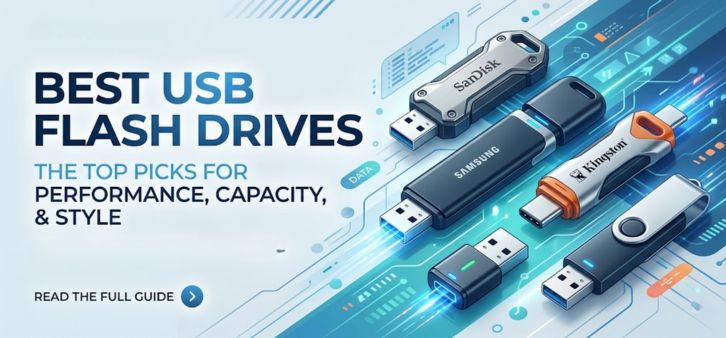
In today’s data-driven world, USB flash drives remain one of the most essential and versatile storage solutions for professionals, students, and everyday users alike. Whether we are transferring large files, backing up critical data, or carrying portable applications, choosing the best USB flash drive can dramatically improve productivity and data security.
This comprehensive guide explores the top USB flash drives in 2026, breaking down their performance, durability, compatibility, and real-world usability. We present a detailed analysis to help you make a confident, informed decision.
Why USB Flash Drives Still Matter in 2026
Despite the rise of cloud storage, USB flash drives continue to dominate for offline, secure, and instant data access. Their advantages include:
-
No internet dependency
-
Plug-and-play convenience
-
High-speed data transfer
-
Enhanced portability
-
Affordable storage expansion
For professionals handling sensitive data, USB drives offer a private, controlled environment, unlike cloud-based solutions.
Top Features to Consider Before Buying a USB Flash Drive
1. Storage Capacity
USB drives now range from 16GB to 2TB, making them suitable for everything from documents to 4K video storage.
2. Transfer Speed (USB Standards)
-
USB 2.0 – Basic use, slower speeds
-
USB 3.0 / 3.1 / 3.2 – Fast transfers (up to 10 Gbps)
-
USB Type-C – Modern compatibility with smartphones and laptops
3. Build Quality & Durability
Look for:
-
Metal casing
-
Shock resistance
-
Water resistance
4. Security Features
-
Password protection
-
Hardware encryption
-
Fingerprint authentication
5. Compatibility
Ensure support for:
-
Windows
-
macOS
-
Android
-
Linux
Best USB Flash Drives in 2026 (Detailed Review)
1. SanDisk Extreme PRO USB 3.2 Solid State Flash Drive
The SanDisk Extreme PRO stands out as a powerhouse, offering SSD-like performance in a compact USB form factor.
Key Highlights:
-
Speeds up to 420MB/s read
-
Durable aluminum casing
-
Massive capacity up to 1TB
Why It Stands Out
We find this drive ideal for content creators and professionals handling large files, such as 4K videos and RAW images.
2. Samsung BAR Plus USB 3.1 Flash Drive
The Samsung BAR Plus combines style, durability, and performance in a sleek metal body.
Key Highlights:
-
Speeds up to 300MB/s
-
Waterproof, shockproof, and temperature-resistant
-
Premium metallic finish
Best Use Case
Perfect for users who want a reliable everyday USB drive with premium aesthetics.
3. Kingston DataTraveler Max (USB-C)
Designed for modern devices, the Kingston DataTraveler Max delivers exceptional performance via USB Type-C.
Key Highlights:
-
USB 3.2 Gen 2 speeds
-
Up to 1TB capacity
-
Compact sliding design
Why We Recommend It
It is one of the fastest USB-C drives available, making it ideal for MacBooks and Android devices.
4. SanDisk Ultra Dual Drive Go (USB-C + USB-A)
This dual-interface drive provides maximum flexibility across devices.
Key Highlights:
-
Dual connectors (USB-C + USB-A)
-
Easy file transfer between phone and PC
-
Rotating design
Ideal For
Users who frequently switch between smartphones and laptops.
5. Corsair Flash Survivor Stealth USB 3.0
Built for extreme conditions, the Corsair Flash Survivor Stealth is designed for maximum durability.
Key Highlights:
-
Aircraft-grade aluminum housing
-
Waterproof up to 200 meters
-
Shock-resistant design
Best For
Outdoor professionals and users needing rugged storage solutions.
6. HP x796w USB 3.1 Flash Drive
A budget-friendly yet high-performance option.
Key Highlights:
-
Affordable pricing
-
Solid read/write speeds
-
Sleek metal body
Why Choose It
Ideal for users seeking value for money without compromising speed.
7. Lexar JumpDrive P30 USB 3.2
This drive is engineered for high-speed data transfer and professional workloads.
Key Highlights:
-
Speeds up to 450MB/s
-
Premium design
-
High reliability
Perfect For
Gamers and video editors requiring fast and stable performance.
USB Flash Drive Comparison Table
| Model | Max Speed | Capacity | Connector | Best For |
|---|---|---|---|---|
| SanDisk Extreme PRO | 420MB/s | Up to 1TB | USB-A | Professionals |
| Samsung BAR Plus | 300MB/s | Up to 256GB | USB-A | Everyday use |
| Kingston DataTraveler Max | 1000MB/s | Up to 1TB | USB-C | High-speed transfer |
| SanDisk Ultra Dual Drive Go | 150MB/s | Up to 512GB | USB-C + USB-A | Multi-device use |
| Corsair Survivor Stealth | 85MB/s | Up to 256GB | USB-A | Rugged environments |
| HP x796w | 200MB/s | Up to 512GB | USB-A | Budget users |
| Lexar JumpDrive P30 | 450MB/s | Up to 1TB | USB-A | High performance |
USB 3.2 vs USB-C: Understanding the Difference
Many users confuse USB standards with connector types.
-
USB 3.2 refers to speed and performance
-
USB-C refers to the physical connector
The best drives combine USB 3.2 speed with USB-C compatibility for optimal performance.
Best USB Flash Drives for Specific Needs
For Students
-
Affordable
-
Lightweight
-
Moderate capacity (64GB–128GB)
For Professionals
-
High-speed drives
-
Large storage (512GB–1TB)
-
Encryption features
For Gamers
-
Fast read/write speeds
-
Durable design
For Mobile Users
-
Dual USB drives (Type-C + Type-A)
How to Maintain Your USB Flash Drive
To ensure longevity and performance:
-
Avoid sudden removal during transfer
-
Use antivirus scanning regularly
-
Store in protective casing
-
Keep away from extreme heat and water
Advantages of Using High-Speed USB Drives
-
Faster file transfers
-
Improved workflow efficiency
-
Reduced waiting time
-
Seamless media playback
Common Mistakes to Avoid
-
Choosing low-speed drives for large files
-
Ignoring compatibility with devices
-
Overlooking durability features
-
Buying counterfeit products
Future of USB Flash Drives
The future is leaning toward:
-
Higher capacities (2TB+)
-
Faster USB 4.0 speeds
-
Integrated security features
-
Compact and multi-functional designs
USB drives are evolving into powerful portable storage devices, rivaling external SSDs.
FAQs (Frequently Asked Questions)
1. What is the best USB flash drive in 2026?
The SanDisk Extreme PRO is widely considered the best due to its speed and reliability.
2. Which USB drive is fastest?
The Kingston DataTraveler Max offers some of the fastest speeds available.
3. Is USB-C better than USB-A?
Yes, USB-C provides faster speeds and better compatibility with modern devices.
4. How long do USB drives last?
Typically 5–10 years, depending on usage.
5. Can USB drives store videos?
Yes, especially high-capacity drives (128GB+).
6. Are USB drives safe?
Yes, especially with encryption features.
7. What capacity should I choose?
-
64GB: Basic use
-
128GB–256GB: Moderate use
-
512GB+: Heavy use
8. Can I use USB drives on smartphones?
Yes, with USB-C or OTG support.
9. Do USB drives need formatting?
Sometimes, especially for compatibility.
10. Which is better: USB or external SSD?
External SSDs are faster, but USB drives are more portable.
11. Can USB drives get corrupted?
Yes, improper removal can cause corruption.
12. Are metal USB drives better?
Yes, they offer better durability.
13. What is OTG support?
It allows USB drives to connect to smartphones.
14. Can USB drives be repaired?
Sometimes, depending on damage.
15. Do USB drives support 4K videos?
Yes, high-speed drives handle 4K easily.
16. Are cheap USB drives worth it?
Only if from trusted brands.
17. Can I install software on a USB drive?
Yes, portable apps can run directly.
18. What is read/write speed?
It determines how fast data is transferred.
19. Do USB drives overheat?
High-speed drives may warm slightly.
20. Can I use USB drives on TVs?
Yes, most smart TVs support them.
21. Are waterproof USB drives available?
Yes, rugged models like Corsair offer this.
22. What is USB 3.2?
A high-speed USB standard.
23. Can USB drives replace cloud storage?
Not entirely, but useful for offline storage.
24. Do USB drives support encryption?
Yes, many premium drives include it.
25. Which brand is most reliable?
SanDisk, Samsung, Kingston, and Lexar are top choices.
For more information and to start using Roobae.com, visit our official website and download the app to stay updated on the best deals and offers. With Roobae.com, you can ensure that every shopping experience is not just an opportunity to shop but an opportunity to save big