
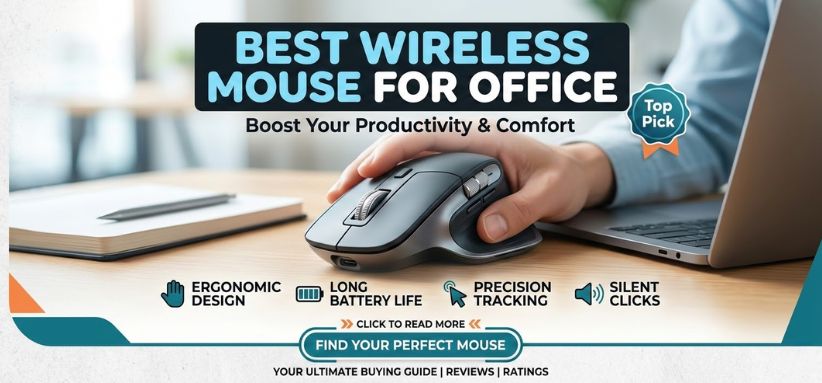
In the modern digital workplace, efficiency, comfort, and precision define productivity. A high-quality wireless mouse is no longer a luxury accessory; it is an essential tool for professionals who spend long hours navigating spreadsheets, editing documents, designing presentations, and managing multitasking workflows. The right wireless mouse enhances speed, ergonomics, accuracy, and overall work performance.
This comprehensive guide explores the best wireless mouse for office use in 2026, detailing the most powerful options available, their performance capabilities, design advantages, connectivity technologies, and why each stands out in a professional environment. We analyze everything from ergonomic comfort and battery life to DPI precision and productivity features, ensuring you select a mouse that perfectly complements your workspace.
Why a High-Quality Wireless Mouse Matters for Office Productivity
A standard mouse may handle basic navigation, but professionals require tools that maximize efficiency and reduce fatigue. A well-designed wireless mouse delivers several advantages:
-
Cable-free workspace for a clean, organized desk setup
-
Enhanced mobility for hybrid and remote work environments
-
Precision tracking for spreadsheets, design tools, and productivity software
-
Ergonomic support to reduce wrist strain during long work sessions
-
Programmable buttons for workflow automation
Professionals who rely on productivity software such as Excel, PowerPoint, Adobe tools, and business management platforms benefit enormously from a mouse designed specifically for office efficiency.
Key Features to Consider Before Buying a Wireless Office Mouse
Selecting the right mouse requires evaluating several performance and comfort factors.
1. Ergonomic Design
An ergonomic mouse supports natural wrist positioning, preventing strain and fatigue during extended use.
2. DPI Sensitivity
DPI (dots per inch) determines cursor speed and precision. Office users typically benefit from 800–1600 DPI, while designers may require higher sensitivity.
3. Connectivity Technology
Wireless mice generally use:
-
2.4GHz USB receivers for stable connectivity
-
Bluetooth technology for cable-free pairing without dongles
4. Battery Life
Premium wireless mice offer months of battery life or rechargeable options with USB-C fast charging.
5. Silent Clicking
Silent switches minimize noise, making them ideal for shared office spaces or remote work calls.
6. Multi-Device Connectivity
Advanced mice can connect to multiple devices simultaneously, enabling seamless switching between laptop, desktop, and tablet.
Top Wireless Mouse for Office Work in 2026
Below are the best wireless office mice, carefully selected based on performance, comfort, durability, and value.
1. Logitech MX Master 3S – The Ultimate Productivity Mouse
The Logitech MX Master 3S stands as the gold standard for professional office productivity. Designed for power users, it delivers exceptional precision, ultra-fast scrolling, and customizable workflow controls.
Key Features
-
8000 DPI sensor for ultra-precise tracking
-
MagSpeed electromagnetic scrolling for lightning-fast navigation
-
Silent click technology reduces noise by 90%
-
Multi-device connectivity for up to three devices
-
70-day rechargeable battery life
Why It’s Perfect for Office Work
The MX Master 3S is ideal for professionals who manage large spreadsheets, documents, and creative software. Its gesture controls and programmable buttons significantly speed up daily tasks.
2. Microsoft Surface Precision Mouse – Professional Precision
The Microsoft Surface Precision Mouse combines premium build quality with exceptional comfort, making it a top choice for business professionals.
Key Features
-
Three customizable thumb buttons
-
Smooth ergonomic design for long working hours
-
Multi-device pairing for up to three systems
-
Precise scrolling wheel
Performance Advantage
This mouse integrates seamlessly with Windows productivity ecosystems, making it ideal for office professionals using Microsoft Office and enterprise tools.
3. Logitech M720 Triathlon – Multi-Device Efficiency
The Logitech M720 Triathlon is designed for multitaskers who frequently switch between devices.
Key Features
-
Connect to three devices simultaneously
-
Logitech Easy-Switch technology
-
24-month battery life
-
Comfortable right-hand ergonomic shape
Office Benefits
Its long battery life and device switching capabilities make it perfect for professionals working with multiple computers or laptops.
4. HP 930 Creator Wireless Mouse – Precision for Professionals
The HP 930 Creator Mouse is engineered for creators and office professionals who require precision, speed, and seamless workflow integration.
Key Features
-
Ultra-fast scroll wheel
-
Programmable buttons
-
Rechargeable battery
-
High-precision optical sensor
Why It’s Ideal for Office Use
It offers smooth performance for editing, document management, and multitasking environments.
5. Dell Premier Rechargeable Mouse – Elegant Productivity
The Dell Premier Mouse delivers premium aesthetics with powerful performance, making it a perfect addition to modern office setups.
Key Features
-
Rechargeable battery lasting up to 6 months
-
Programmable shortcuts
-
Bluetooth and RF connectivity
-
Precision tracking technology
Office Productivity Advantage
Its sleek design and long battery life make it ideal for professionals who value both functionality and aesthetics.
Wireless Mouse vs Wired Mouse for Office Work
| Feature | Wireless Mouse | Wired Mouse |
|---|---|---|
| Mobility | Excellent | Limited |
| Desk Setup | Clean and clutter-free | Cable clutter |
| Battery | Requires charging | No battery required |
| Latency | Minimal with modern tech | Slightly faster |
| Portability | Highly portable | Less convenient |
For most professionals, wireless mice provide superior flexibility and convenience, making them the preferred choice in modern workspaces.
Ergonomic Benefits of Using the Right Office Mouse
Extended computer use can cause repetitive strain injuries if poor peripherals are used. Ergonomic wireless mice provide:
-
Natural wrist alignment
-
Reduced muscle tension
-
Improved hand comfort
-
Lower risk of carpal tunnel syndrome
Investing in an ergonomic mouse significantly enhances long-term workplace health and productivity.
Battery Technologies in Modern Wireless Mice
Modern wireless mice use advanced battery systems that provide exceptional longevity.
Rechargeable Lithium Batteries
-
Charge via USB-C or micro-USB
-
Provide weeks or months of usage
AA / AAA Replaceable Batteries
-
Easy to replace
-
Often last up to two years
Professionals who travel frequently may prefer replaceable batteries, while desk workers often favor rechargeable models.
Best Wireless Mouse for Different Office Needs
For Heavy Productivity
Logitech MX Master 3S
For Multi-Device Workflows
Logitech M720 Triathlon
For Windows Professionals
Microsoft Surface Precision Mouse
For Creative Professionals
HP 930 Creator Mouse
For Elegant Office Setups
Dell Premier Rechargeable Mouse
How to Choose the Perfect Wireless Mouse for Your Office
Selecting the best wireless mouse requires evaluating workflow needs, comfort preferences, and device compatibility.
Step-by-Step Selection Process
-
Determine your primary work tasks
-
Choose a mouse with ergonomic comfort
-
Check battery life and charging options
-
Ensure compatibility with your operating system
-
Look for programmable buttons and advanced features
This structured approach ensures the mouse enhances productivity and workflow efficiency.
Maintenance Tips for Long-Lasting Wireless Mouse Performance
Maintaining your wireless mouse properly ensures consistent accuracy and durability.
Essential Maintenance Tips
-
Clean the sensor and mouse feet regularly
-
Avoid dust buildup on the scroll wheel
-
Replace or recharge batteries when needed
-
Store the mouse in a protective case during travel
Proper maintenance keeps your mouse functioning smoothly for years.
Future Trends in Wireless Office Mice
The next generation of wireless mice will include:
-
AI-based gesture controls
-
Ultra-low latency connectivity
-
Adaptive ergonomic designs
-
Smart productivity integration
These innovations will transform wireless mice into advanced productivity tools rather than simple input devices.
Final Thoughts – The Best Wireless Mouse for Office Professionals
The right wireless mouse dramatically improves work efficiency, comfort, and precision. Whether you manage spreadsheets, design presentations, analyze data, or work across multiple devices, investing in a premium wireless mouse significantly enhances daily productivity.
Among all options available today, the Logitech MX Master 3S remains the most powerful office mouse, offering unmatched precision, ergonomic comfort, and workflow customization.
Professionals seeking reliability, efficiency, and long-term comfort will benefit immensely from choosing a high-quality wireless mouse designed for productivity.
FAQs
1. What is the best wireless mouse for office work?
The Logitech MX Master 3S is widely considered the best due to its precision, ergonomics, and productivity features.
2. Are wireless mice reliable for office use?
Yes, modern wireless mice provide stable connectivity and minimal latency.
3. What DPI is best for office work?
Between 800 and 1600 DPI is ideal for most office tasks.
4. Do wireless mice work with all laptops?
Most wireless mice support Windows, macOS, and Linux systems.
5. How long do wireless mouse batteries last?
Battery life ranges from weeks to two years, depending on the model.
6. Is Bluetooth better than USB wireless?
Both are reliable. Bluetooth eliminates the need for a USB dongle.
7. Are ergonomic mice worth it?
Yes. They reduce wrist strain and improve comfort.
8. Can a wireless mouse connect to multiple devices?
Many premium models support multi-device connectivity.
9. Do wireless mice lag?
Modern wireless technology provides nearly zero lag.
10. Which wireless mouse is best for multitasking?
The Logitech M720 Triathlon is excellent for switching between devices.
11. What is silent click technology?
It reduces mouse click noise for quieter operation.
12. Are rechargeable mice better?
Rechargeable models are eco-friendly and convenient.
13. Do office mice require high DPI?
No. Moderate DPI provides better control for productivity tasks.
14. Can wireless mice be used for gaming?
Some models work for casual gaming, though gaming mice are specialized.
15. Are wireless mice portable?
Yes. They are ideal for travel and remote work.
16. How far can a wireless mouse work?
Typically 10 meters from the receiver.
17. What is the best ergonomic wireless mouse?
The Logitech MX Master series is among the best.
18. Do wireless mice require drivers?
Most are plug-and-play, but software enables customization.
19. Are wireless mice secure?
Yes. Modern models use encrypted connections.
20. What scroll wheel type is best for office work?
Hyper-fast scroll wheels are ideal for large documents.
21. Can a wireless mouse work with tablets?
Bluetooth mice can connect to tablets and smartphones.
22. Are lightweight mice better for office use?
They reduce hand fatigue during extended sessions.
23. Do wireless mice need charging daily?
No. Most last weeks or months per charge.
24. Which brand makes the best wireless office mice?
Logitech, Microsoft, HP, and Dell are leading brands.
25. Is a premium wireless mouse worth the price?
Yes. It significantly improves productivity and comfort.
Discover the best wireless mouse for office work in 2026. Compare ergonomic designs, battery life, precision DPI, and productivity features to choose the perfect office mouse.
For more information and to start using Roobae.com, visit our official website and download the app to stay updated on the best deals and offers. With roobae.com, you can ensure that every shopping experience is not just an opportunity to shop but an opportunity to save big.