
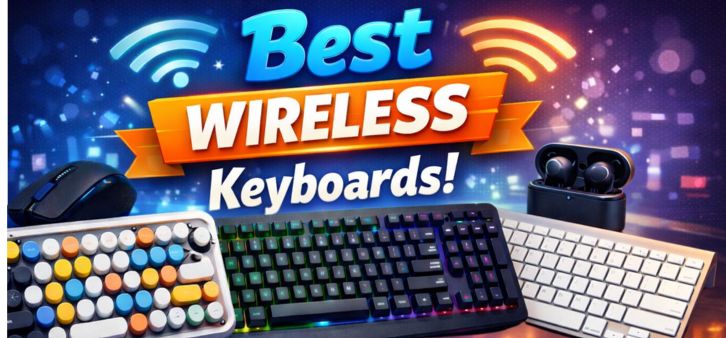
Wireless keyboards have evolved dramatically in recent years, transforming the way professionals, gamers, students, and creators interact with their devices. Today’s best wireless keyboards combine advanced connectivity, ergonomic design, mechanical precision, long battery life, and multi-device compatibility to deliver an exceptional typing experience.
In this comprehensive guide, we present the top wireless keyboards of 2026, analyzing their build quality, connectivity technology, typing comfort, battery performance, compatibility, and productivity features. Whether you are building a professional workstation, gaming setup, or minimalist desk environment, the wireless keyboard you choose can dramatically influence your efficiency and comfort.
Why Wireless Keyboards Are Dominating Modern Workspaces
The popularity of wireless keyboards continues to rise because they offer cleaner setups, improved portability, and seamless device switching. Modern Bluetooth and RF technologies have virtually eliminated latency concerns, allowing wireless keyboards to perform just as reliably as wired ones.
Key Advantages of Wireless Keyboards
-
Cable-free workspace for minimal desk clutter
-
Multi-device pairing for laptops, tablets, and smartphones
-
Improved mobility and portability
-
Long battery life often exceeding months
-
Advanced ergonomics for long typing sessions
Professionals now prioritize wireless productivity tools that allow effortless switching between Windows, macOS, Android, and iPadOS devices.
Top Features to Look for in the Best Wireless Keyboards
Before selecting the best wireless keyboard, several important features determine overall usability and performance.
1. Connectivity Technology
Modern wireless keyboards typically use:
-
Bluetooth connectivity
-
2.4 GHz USB receiver
-
Dual wireless modes
High-quality keyboards offer multi-device pairing, allowing users to switch between three or more devices instantly.
2. Key Switch Type
The typing experience depends heavily on key switch technology:
| Switch Type | Typing Experience | Best For |
|---|---|---|
| Membrane | Quiet and soft | Office work |
| Mechanical | Tactile and responsive | Gaming and heavy typing |
| Scissor Switch | Low-profile precision | Laptops and compact setups |
Mechanical switches such as Red, Brown, and Blue switches are especially popular for speed, durability, and tactile feedback.
3. Battery Life
Premium wireless keyboards now offer battery life ranging from several weeks to multiple months.
Typical power options include:
-
Rechargeable lithium batteries
-
AAA / AA replaceable batteries
-
USB-C fast charging
4. Ergonomic Design
Long typing sessions require proper wrist positioning and key spacing. Ergonomic keyboards may include:
-
Split keyboard layouts
-
Curved key frames
-
Palm rests
5. Build Quality
The best keyboards combine:
-
Aluminum frames
-
Premium plastic construction
-
Durable keycaps
These ensure years of consistent performance.
Best Wireless Keyboards in 2026
Below are the most reliable and highly rated wireless keyboards available today.
1. Logitech MX Keys S – Best Overall Wireless Keyboard
The Logitech MX Keys S stands at the top of the wireless keyboard market due to its premium build, smart backlighting, and multi-device connectivity.
Key Specifications
-
Connectivity: Bluetooth + Logi Bolt receiver
-
Battery Life: Up to 10 days with backlight
-
Compatibility: Windows, macOS, Linux, Android, iPadOS
-
Charging: USB-C
Why It Stands Out
The perfectly shaped concave keys provide a precise and comfortable typing experience, while the smart illumination system automatically adjusts brightness depending on room lighting.
Professionals love the Flow multi-device switching feature, allowing effortless transitions between multiple computers.
Best for:
-
Programmers
-
Writers
-
Business professionals
2. Keychron K8 Pro – Best Wireless Mechanical Keyboard
The Keychron K8 Pro has become one of the most popular wireless mechanical keyboards thanks to its customizability and exceptional typing performance.
Key Specifications
-
Connectivity: Bluetooth + USB-C
-
Switch Options: Gateron Red / Brown / Blue
-
Battery Life: Up to 240 hours
-
Layout: Tenkeyless (TKL)
Performance Highlights
The keyboard features hot-swappable switches, meaning users can customize their typing experience without soldering.
It also supports QMK and VIA firmware, allowing advanced keyboard customization.
Best for:
-
Developers
-
Mechanical keyboard enthusiasts
-
Power users
3. Apple Magic Keyboard – Best for Mac Users
For macOS users, the Apple Magic Keyboard remains one of the most refined wireless keyboards available.
Key Specifications
-
Connectivity: Bluetooth
-
Battery: Rechargeable lithium battery
-
Compatibility: macOS, iPadOS
Key Advantages
The ultra-thin aluminum design perfectly complements Apple devices, while the scissor-switch keys deliver precise and quiet typing.
Integration with macOS provides dedicated shortcuts for brightness, mission control, and media controls.
Best for:
-
MacBook users
-
Apple ecosystem setups
4. Logitech K780 – Best Multi-Device Wireless Keyboard
The Logitech K780 is designed for users who frequently switch between devices.
Key Specifications
-
Connectivity: Bluetooth + USB receiver
-
Device Pairing: Up to 3 devices
-
Battery Life: Up to 24 months
Unique Feature
A built-in device cradle allows you to place smartphones or tablets while typing.
This makes it perfect for productivity across mobile devices and desktops.
Best for:
-
Remote workers
-
Tablet users
-
Multi-device setups
5. Razer Pro Type Ultra – Best Wireless Keyboard for Productivity
The Razer Pro Type Ultra blends professional aesthetics with gaming-level performance.
Key Specifications
-
Connectivity: Bluetooth + 2.4 GHz wireless
-
Battery Life: Up to 214 hours
-
Switch Type: Silent mechanical switches
Performance Benefits
The silent mechanical switches provide tactile feedback without excessive noise, making the keyboard perfect for office environments.
Best for:
-
Professionals
-
Content creators
-
Designers
6. Microsoft Surface Keyboard – Best Minimalist Wireless Keyboard
The Microsoft Surface Keyboard is designed for clean, minimalist setups.
Key Specifications
-
Connectivity: Bluetooth
-
Battery Life: Up to 12 months
-
Build: Aluminum top plate
Key Benefits
The keyboard provides quiet and responsive typing, making it perfect for long office sessions.
Best for:
-
Windows professionals
-
Minimalist workspaces
Wireless Keyboard Buying Guide
Selecting the best wireless keyboard requires evaluating multiple performance factors.
Choose Based on Your Usage
| Use Case | Recommended Keyboard Type |
|---|---|
| Office productivity | Low-profile wireless keyboard |
| Gaming | Wireless mechanical keyboard |
| Travel | Compact Bluetooth keyboard |
| Multi-device work | Multi-device wireless keyboard |
Wireless vs Wired Keyboards
| Feature | Wireless Keyboard | Wired Keyboard |
|---|---|---|
| Portability | Excellent | Limited |
| Desk Setup | Clean and minimal | Cable clutter |
| Latency | Very low | Extremely low |
| Battery Requirement | Yes | No |
Modern wireless keyboards offer nearly identical performance to wired keyboards, making them ideal for modern work environments.
Best Wireless Keyboard Brands in 2026
Several brands consistently produce high-quality wireless keyboards.
Top Manufacturers
-
Logitech
-
Keychron
-
Apple
-
Microsoft
-
Razer
These brands are known for durability, typing comfort, advanced connectivity, and long battery life.
How Wireless Keyboards Improve Productivity
Wireless keyboards help users achieve better posture, faster typing speeds, and improved workspace organization.
Key Productivity Benefits
-
Instant device switching
-
Programmable shortcut keys
-
Quiet typing for office environments
-
Portable setups for hybrid work
These advantages make wireless keyboards an essential tool for modern digital workspaces.
Maintenance Tips for Wireless Keyboards
Maintaining a wireless keyboard ensures consistent performance and longer lifespan.
Essential Maintenance Practices
-
Clean keycaps regularly
-
Avoid liquid spills
-
Keep firmware updated
-
Recharge batteries before full depletion
These simple steps keep your keyboard functioning smoothly for years.
Future Trends in Wireless Keyboard Technology
Wireless keyboards continue to evolve with new innovations and smart features.
Emerging Technologies
-
AI-assisted typing features
-
Advanced ergonomic layouts
-
Ultra-low latency wireless protocols
-
Smart adaptive backlighting
-
Integrated productivity controls
These innovations will further enhance typing efficiency and user comfort.
Comparison Table: Best Wireless Keyboards 2026
| Keyboard | Connectivity | Battery Life | Best For |
|---|---|---|---|
| Logitech MX Keys S | Bluetooth + Receiver | 10 Days | Professionals |
| Keychron K8 Pro | Bluetooth | 240 Hours | Mechanical enthusiasts |
| Apple Magic Keyboard | Bluetooth | 1 Month | Mac users |
| Logitech K780 | Bluetooth + Receiver | 24 Months | Multi-device |
| Razer Pro Type Ultra | Bluetooth + 2.4GHz | 214 Hours | Productivity |
| Microsoft Surface Keyboard | Bluetooth | 12 Months | Minimalist setups |
FAQs
1. What is the best wireless keyboard overall?
-
Logitech MX Keys S
-
Keychron K8 Pro
-
Razer Pro Type Ultra
These keyboards offer excellent typing performance, durability, and connectivity.
2. Are wireless keyboards good for gaming?
Yes. Modern wireless keyboards offer extremely low latency and high responsiveness.
3. How long do wireless keyboard batteries last?
Battery life typically ranges between:
-
10 days to several months
-
Depending on backlighting and usage
4. Do wireless keyboards lag?
Modern Bluetooth and RF keyboards have virtually no noticeable lag.
5. Are mechanical wireless keyboards better?
Mechanical keyboards provide:
-
Better tactile feedback
-
Faster typing
-
Longer lifespan
6. Can wireless keyboards connect to multiple devices?
Yes. Many keyboards support multi-device switching between 3 devices.
7. Are wireless keyboards secure?
Most use encrypted wireless signals, making them highly secure.
8. Can I use a wireless keyboard with a tablet?
Yes. Bluetooth keyboards work perfectly with tablets and smartphones.
9. What is the best keyboard for Mac users?
The Apple Magic Keyboard is the best choice for macOS.
10. What is the best wireless mechanical keyboard?
The Keychron K8 Pro is one of the best wireless mechanical keyboards.
11. Are compact keyboards good for travel?
Yes. Compact keyboards are lightweight and portable.
12. How do I connect a wireless keyboard?
-
Turn on Bluetooth
-
Pair the keyboard
-
Select it from the device list
13. What keyboard switch is best for typing?
Brown switches provide a balance between quietness and tactile feedback.
14. Are backlit keyboards worth it?
Yes, especially for low-light environments.
15. Can wireless keyboards work with smart TVs?
Many Bluetooth keyboards can connect to smart TVs.
16. What is the lifespan of a wireless keyboard?
Most quality keyboards last 5–10 years.
17. Do wireless keyboards need drivers?
Most modern keyboards are plug-and-play.
18. Can I use a wireless keyboard with multiple operating systems?
Yes. Many keyboards support Windows, macOS, Linux, Android, and iOS.
19. What is the difference between Bluetooth and RF keyboards?
-
Bluetooth: universal compatibility
-
RF receiver: lower latency
20. Are wireless keyboards energy efficient?
Yes. Many use low-power Bluetooth technology.
21. Are ergonomic wireless keyboards better for health?
Yes. They reduce wrist strain and typing fatigue.
22. Can wireless keyboards be used for coding?
Yes. Many developers prefer mechanical wireless keyboards.
23. Do wireless keyboards support customization?
Advanced models support programmable keys and macros.
24. What is the best budget wireless keyboard?
Logitech K380 is one of the best affordable options.
25. Are wireless keyboards worth buying in 2026?
Yes. Wireless keyboards provide better flexibility, cleaner workspaces, and powerful productivity features.
For more information and to start using Roobae.com, visit our official website and download the app to stay updated on the best deals and offers. With Roobae.com, you can ensure that every shopping experience is not just an opportunity to shop but an opportunity to save big