
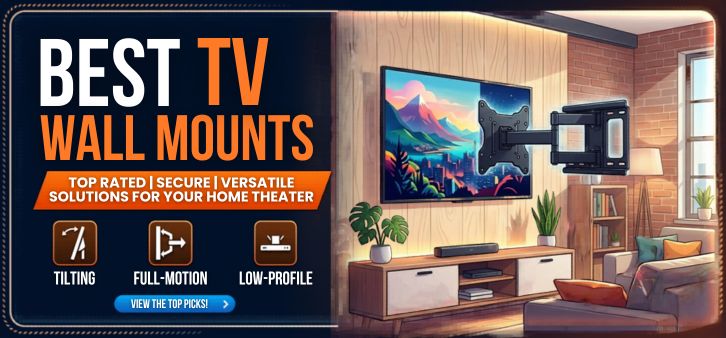
Modern living spaces are increasingly designed around sleek aesthetics, efficient space usage, and immersive entertainment experiences. One of the most effective ways to achieve this balance is by installing a high-quality TV wall mount. Wall mounting a television not only enhances the visual appeal of your home but also provides optimal viewing angles, improved safety, and efficient room organization.
In this comprehensive guide, we explore the best TV wall mounts available today, their unique advantages, installation tips, and the key features that help homeowners and professionals select the ideal mount for any television size or room layout.
Understanding TV Wall Mounts: Why They Matter
A TV wall mount is a specially designed bracket system that securely attaches your television to a wall. Unlike traditional TV stands, wall mounts offer enhanced stability, improved viewing ergonomics, and a clutter-free environment.
Installing a wall mount provides several advantages:
-
Space Optimization – Eliminates the need for bulky furniture.
-
Improved Viewing Experience – Allows perfect screen positioning.
-
Enhanced Safety – Prevents accidental tipping or damage.
-
Modern Interior Design – Creates a sleek, minimalistic entertainment setup.
Whether installed in a living room, bedroom, office, or commercial environment, the right wall mount significantly elevates the entertainment experience.
Types of TV Wall Mounts
Selecting the right wall mount begins with understanding the three primary types of mounting systems available in the market.
1. Fixed TV Wall Mounts
Fixed mounts are the most streamlined and minimalistic mounting solution. These mounts hold the television flush against the wall, creating a clean and elegant appearance.
Key Features
-
Ultra-slim profile
-
Stable and secure installation
-
Ideal for eye-level mounting
-
Cost-effective solution
Best Use Cases
Fixed mounts are perfect for living rooms, conference rooms, and home theaters where the viewing position remains consistent.
Advantages
-
Minimal wall gap
-
Clean aesthetic design
-
Strong structural stability
2. Tilting TV Wall Mounts
Tilting mounts offer vertical angle adjustment, allowing users to tilt the screen downward for improved visibility.
Key Features
-
Adjustable tilt angle
-
Reduces screen glare
-
Ideal for higher wall placement
Best Use Cases
These mounts are particularly useful when televisions are installed:
-
Above fireplaces
-
In bedrooms
-
In public viewing areas
Advantages
-
Improved viewing angles
-
Reduced reflection and glare
-
Better ergonomics
3. Full-Motion TV Wall Mounts
Full-motion mounts are the most versatile mounting systems, offering tilt, swivel, and extension capabilities.
Key Features
-
Multi-directional movement
-
Extendable arms
-
Adjustable viewing angles
Best Use Cases
Perfect for:
-
Large living rooms
-
Open-concept spaces
-
Corner installations
Advantages
-
Maximum flexibility
-
Customizable viewing position
-
Ideal for multi-seating environments
Key Factors to Consider When Choosing the Best TV Wall Mount
Selecting the right wall mount requires careful evaluation of several important criteria.
TV Size Compatibility
Every wall mount supports a specific screen size range, typically measured in inches.
Common compatibility ranges include:
| TV Size | Recommended Mount Type |
|---|---|
| 24–40 inches | Fixed mount |
| 40–55 inches | Tilting mount |
| 55–85 inches | Full-motion mount |
Always ensure the mount supports your television's dimensions and weight capacity.
VESA Mounting Pattern
The VESA standard defines the distance between mounting holes on the back of a television.
Common VESA sizes include:
-
200 × 200 mm
-
400 × 400 mm
-
600 × 400 mm
Matching the mount with your TV’s VESA pattern ensures proper compatibility.
Weight Capacity
Each mount supports a maximum weight limit. Always verify that the bracket can safely hold the television.
For example:
| TV Size | Typical Weight | Required Mount Capacity |
|---|---|---|
| 43 inch | 8–12 kg | 20 kg support |
| 55 inch | 15–20 kg | 30 kg support |
| 75 inch | 30–40 kg | 50 kg support |
Choosing a mount with higher weight capacity increases safety and durability.
Wall Type Compatibility
Different walls require different mounting hardware.
Common wall types include:
-
Concrete walls
-
Brick walls
-
Wood stud walls
-
Metal stud walls
Always confirm that the mount supports secure installation for your specific wall structure.
Top Features of the Best TV Wall Mounts
High-quality wall mounts offer advanced features designed to maximize comfort and convenience.
Cable Management Systems
Modern mounts include integrated cable channels, allowing wires to be neatly organized behind the television.
Benefits include:
-
Cleaner appearance
-
Reduced cable clutter
-
Improved safety
Quick-Release Mechanisms
Some mounts feature quick-release brackets, enabling easy removal of the television for maintenance or upgrades.
This feature is especially useful for:
-
Smart TV upgrades
-
Cable replacements
-
Wall painting or renovations
Swivel Rotation
Full-motion mounts often allow left-to-right swivel movement, typically ranging between 45° to 180°.
This flexibility ensures:
-
Comfortable viewing from multiple seating positions
-
Perfect alignment with room layout
Extension Arms
Premium mounts include extendable arms, allowing televisions to be pulled away from the wall.
Advantages include:
-
Flexible positioning
-
Improved accessibility
-
Enhanced viewing angles
Installation Guide for TV Wall Mounts
Installing a TV wall mount requires careful planning and precision.
Tools Required
Before installation, gather the following tools:
-
Power drill
-
Stud finder
-
Level tool
-
Measuring tape
-
Screwdriver set
-
Mounting hardware kit
Step-by-Step Installation Process
Step 1: Locate Wall Studs
Use a stud finder to identify strong structural support within the wall.
Step 2: Mark Mounting Points
Measure and mark the correct position for the bracket.
Step 3: Drill Pilot Holes
Drill holes carefully into the studs or wall anchors.
Step 4: Install Mount Bracket
Secure the wall bracket using heavy-duty screws.
Step 5: Attach Mounting Plate to TV
Fix the mounting arms to the back of the television.
Step 6: Mount the TV
Carefully lift and attach the TV to the wall bracket.
Step 7: Adjust Viewing Angle
Fine-tune tilt and swivel settings for the best viewing experience.
Benefits of Wall Mounting Your Television
Mounting a television offers numerous practical and aesthetic benefits.
Enhanced Viewing Comfort
Wall mounting allows the screen to be positioned at the ideal eye-level viewing height, reducing neck strain.
Improved Interior Design
A mounted television creates a sleek and modern entertainment wall, enhancing the visual appeal of any room.
Better Space Utilization
Removing traditional TV furniture frees up valuable floor space, making rooms feel larger and more organized.
Increased Safety
Wall mounting prevents accidental tipping, particularly in homes with children or pets.
Common Mistakes to Avoid When Installing TV Wall Mounts
Even experienced installers sometimes make errors that affect stability or viewing quality.
Avoid These Mistakes
-
Installing mounts without locating wall studs
-
Ignoring weight capacity limits
-
Mounting the TV too high
-
Using incorrect mounting hardware
-
Failing to check level alignment
Proper installation ensures long-term durability and safety.
Best TV Wall Mounts for Different Needs
Different users require different mounting solutions.
Best Mount for Small TVs
-
Fixed slim mounts
-
Compact design
-
Lightweight support
Ideal for bedrooms, kitchens, and small apartments.
Best Mount for Large TVs
-
Heavy-duty full-motion mounts
-
High weight capacity
-
Wide VESA compatibility
Perfect for home theaters and large living rooms.
Best Mount for Corner Installations
Corner installations require articulating full-motion mounts that allow the screen to pivot outward.
This ensures:
-
Optimal viewing angles
-
Efficient corner space usage
Maintaining Your TV Wall Mount
Proper maintenance helps extend the lifespan of your mounting system.
Maintenance Tips
-
Check screws every 6 months
-
Clean dust buildup
-
Inspect mount joints
-
Ensure cable connections remain secure
Regular inspection ensures long-term stability and safe operation.
Future Trends in TV Wall Mount Technology
The evolution of home entertainment continues to influence wall mount design.
Emerging innovations include:
-
Motorized TV wall mounts
-
Smart remote-controlled mounts
-
Ultra-thin invisible mounting systems
-
Automated tilt adjustment technology
These innovations aim to deliver maximum comfort and seamless home integration.
Conclusion
Choosing the best TV wall mount is essential for creating a safe, stylish, and immersive entertainment environment. By considering factors such as TV size compatibility, mount type, wall structure, and viewing flexibility, homeowners can confidently select a mounting solution that enhances both functionality and interior aesthetics.
From fixed minimalist mounts to advanced full-motion systems, the right installation transforms any television into a centerpiece of modern home entertainment.
FAQs
1. What is the best type of TV wall mount?
The best type depends on your needs. Full-motion mounts provide maximum flexibility, while fixed mounts offer the slimmest profile.
2. Can all TVs be wall mounted?
Most modern televisions support VESA mounting standards, allowing them to be wall mounted.
3. How high should a TV be mounted?
The center of the screen should align roughly with eye level while seated.
4. Are wall mounts safe for large TVs?
Yes, when properly installed with appropriate weight capacity and wall support.
5. Do wall mounts damage walls?
Proper installation with the right hardware minimizes damage.
6. Can TV wall mounts be installed on drywall?
Yes, but stud support or heavy-duty anchors are required.
7. What size mount do I need for a 55-inch TV?
Most 55-inch TVs require 400×400 VESA compatible mounts.
8. Do tilting mounts reduce glare?
Yes, tilting allows adjustment to reduce reflections.
9. How much weight can TV mounts hold?
Many mounts support 20 kg to over 70 kg depending on design.
10. Are full-motion mounts durable?
High-quality models are built with reinforced steel construction.
11. Can I mount a TV above a fireplace?
Yes, but a tilting mount is recommended.
12. Do mounts fit curved TVs?
Yes, many mounts are compatible with curved screens.
13. Is professional installation necessary?
Not always, but it helps ensure maximum safety and alignment.
14. How long does installation take?
Typically 30–60 minutes.
15. Can mounts hide cables?
Many include integrated cable management systems.
16. What is VESA compatibility?
It refers to the standard mounting hole pattern on televisions.
17. Are motorized mounts worth it?
They provide advanced convenience and automated positioning.
18. Do mounts support OLED TVs?
Yes, provided the VESA pattern matches.
19. How far can full-motion mounts extend?
Some extend up to 20 inches or more.
20. Can mounts rotate TVs vertically?
Certain mounts support portrait orientation.
21. Do wall mounts improve viewing angles?
Yes, especially tilting and articulating mounts.
22. Can mounts support soundbars?
Some models include soundbar attachment brackets.
23. Are mounts universal?
Many mounts are designed to support multiple TV brands and sizes.
24. What materials are best for mounts?
Steel construction offers superior durability.
25. How often should mounts be inspected?
At least twice per year.
Quick Comparison Table
| Mount Type | Flexibility | Best For | Profile |
|---|---|---|---|
| Fixed | Low | Minimalist setups | Ultra-slim |
| Tilting | Medium | High wall placement | Slim |
| Full-Motion | High | Large rooms | Extendable |
For more information and to start using Roobae.com, visit our official website and download the app to stay updated on the best deals and offers. With Roobae.com, you can ensure that every shopping experience is not just an opportunity to shop but an opportunity to save big