
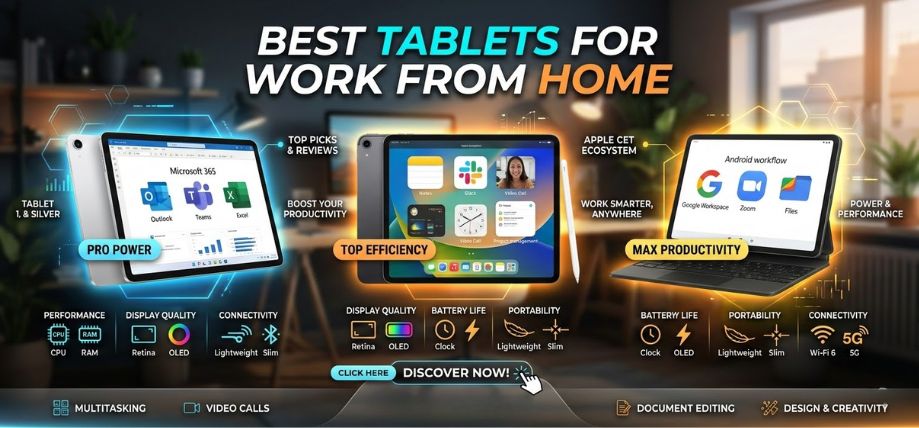
Remote work has transformed the modern professional environment. As businesses continue to embrace distributed teams and flexible schedules, professionals require powerful, portable, and reliable devices that support productivity anywhere. Tablets have evolved far beyond simple entertainment devices. Today’s best tablets combine desktop-level performance, multitasking capabilities, and professional-grade accessories that make them ideal for working from home.
In this comprehensive guide, we analyze the best tablets for work from home in 2026, focusing on performance, display quality, multitasking features, stylus compatibility, battery life, and overall productivity. Whether you are a remote employee, freelancer, digital entrepreneur, or student, selecting the right tablet can dramatically enhance your efficiency and workflow.
Why Tablets Are Ideal for Work From Home
Modern tablets deliver an ideal balance between mobility and power. With advanced processors, high-resolution displays, detachable keyboards, and stylus support, tablets can now replace many traditional laptops.
Key Advantages of Tablets for Remote Work
-
Ultra-portability – lightweight design ideal for flexible workspaces
-
Touchscreen productivity for note-taking and document editing
-
Long battery life for uninterrupted work sessions
-
Cloud integration for seamless collaboration
-
Stylus compatibility for creative professionals and planners
-
Keyboard support for full desktop-style typing
Professionals who frequently attend virtual meetings, edit documents, manage emails, and collaborate online will find tablets especially convenient.
How to Choose the Best Work From Home Tablet
Before selecting a tablet, it is essential to evaluate the key features that influence productivity.
1. Processor Performance
The processor determines how efficiently your tablet handles multitasking, video calls, editing applications, and browser tabs.
Recommended processors for productivity tablets:
-
Apple M2 / M4 chips
-
Qualcomm Snapdragon 8 Gen series
-
Intel Core i5 / i7 processors
-
MediaTek Dimensity series
High-end processors allow smooth use of Zoom, Microsoft Office, Google Workspace, Slack, and creative software simultaneously.
2. Display Quality
Since remote work involves long hours of screen time, the display must be sharp, bright, and comfortable for reading.
Ideal tablet display specifications:
-
Resolution: 2K or higher
-
Panel: OLED or Liquid Retina
-
Refresh Rate: 90Hz – 120Hz
-
Size: 10.5" to 13"
A large, high-resolution screen improves spreadsheet editing, document reading, and multitasking.
3. Keyboard and Stylus Support
For professional use, tablets must support accessories that enhance productivity.
Essential accessories include:
-
Detachable keyboard cases
-
Precision stylus pens
-
Trackpads
-
USB-C hubs
These tools allow tablets to function like full desktop workstations.
4. Battery Life
Remote professionals often work long hours. A productivity tablet should provide at least 10–15 hours of battery life.
Fast charging and efficient processors ensure minimal downtime during workdays.
5. Operating System Compatibility
Your workflow may depend on a specific ecosystem.
Popular tablet operating systems include:
-
iPadOS – excellent for creative professionals
-
Android – flexible and affordable options
-
Windows – ideal for full desktop applications
Choosing the right OS ensures compatibility with your productivity apps and software tools.
Top 10 Best Tablets for Work From Home in 2026
Below are the most powerful tablets designed for productivity, multitasking, and remote collaboration.
1. Apple iPad Pro M4 – The Ultimate Productivity Tablet
The Apple iPad Pro M4 stands at the top of the tablet market. Its desktop-class processor delivers incredible speed, allowing professionals to run demanding applications smoothly.
Key Features
-
Apple M4 chip
-
Ultra Retina XDR display
-
ProMotion 120Hz refresh rate
-
Apple Pencil Pro support
-
Magic Keyboard compatibility
-
Up to 16GB RAM
Why It’s Perfect for Remote Work
-
Seamless integration with Apple ecosystem
-
Exceptional video call quality
-
Powerful enough for design, editing, and business tasks
2. Samsung Galaxy Tab S9 Ultra – Large Screen Productivity Beast
The Samsung Galaxy Tab S9 Ultra offers one of the largest tablet displays available. Its huge screen makes it perfect for multitasking, spreadsheets, and presentations.
Key Features
-
14.6-inch AMOLED display
-
Snapdragon 8 Gen 2 processor
-
120Hz refresh rate
-
S Pen included
-
Multi-window multitasking
Best For
-
Professionals managing multiple apps simultaneously
-
Remote workers who prefer large displays
3. Microsoft Surface Pro 10 – Laptop Replacement Tablet
The Microsoft Surface Pro 10 combines tablet portability with the power of a Windows laptop.
Key Features
-
Intel Core Ultra processors
-
Windows 11 OS
-
Surface Slim Pen support
-
Detachable keyboard
-
Thunderbolt connectivity
Advantages for Work From Home
-
Runs full desktop applications
-
Ideal for Excel, PowerPoint, and enterprise software
4. Apple iPad Air M2 – Best Balance of Price and Power
The iPad Air M2 provides premium performance at a lower price than the iPad Pro.
Key Features
-
M2 chip
-
Liquid Retina display
-
Apple Pencil compatibility
-
Lightweight design
Why Professionals Love It
-
Excellent value for productivity
-
Smooth performance for daily work tasks
5. Samsung Galaxy Tab S9 – Premium Android Work Tablet
The Galaxy Tab S9 delivers flagship Android performance with impressive multitasking capabilities.
Key Features
-
Dynamic AMOLED display
-
Snapdragon 8 Gen processor
-
Samsung DeX desktop mode
-
S Pen support
Key Benefit
Samsung DeX mode transforms the tablet into a desktop-style workspace.
6. Lenovo Tab Extreme – Powerful Multitasking Tablet
The Lenovo Tab Extreme is designed for heavy productivity tasks.
Highlights
-
3K OLED display
-
MediaTek Dimensity processor
-
Precision Pen support
-
Productivity keyboard case
Best For
Professionals handling large documents, multitasking, and creative projects.
7. Xiaomi Pad 6 – Budget Productivity Tablet
For users seeking affordable performance, the Xiaomi Pad 6 offers excellent value.
Key Features
-
Snapdragon 870 processor
-
144Hz display
-
Keyboard accessory support
Why It’s Popular
-
Strong performance at an affordable price
-
Excellent for students and freelancers
8. OnePlus Pad – Smooth Android Experience
The OnePlus Pad focuses on fluid performance and clean software.
Key Highlights
-
MediaTek Dimensity 9000
-
144Hz display
-
11.6-inch screen
Perfect for professionals who value speed and minimalistic Android experience.
9. Amazon Fire Max 11 – Affordable Remote Work Tablet
The Fire Max 11 offers basic productivity features at an entry-level price.
Key Features
-
11-inch display
-
Keyboard case
-
Alexa integration
Best suited for email management, document viewing, and light work tasks.
10. Google Pixel Tablet – Smart Workstation Tablet
The Google Pixel Tablet integrates with the Google ecosystem.
Key Features
-
Google Tensor processor
-
Android ecosystem integration
-
Google Workspace compatibility
Ideal for professionals who rely heavily on Google Docs, Drive, and Meet.
Essential Accessories for Work From Home Tablets
Enhancing a tablet with the right accessories can dramatically improve productivity.
Must-Have Accessories
-
Bluetooth keyboard
-
Stylus pen
-
Adjustable tablet stand
-
USB-C hub
-
Noise-canceling headphones
These tools create a complete remote office setup.
Best Apps for Tablet Productivity
Remote professionals rely on software that enables communication and collaboration.
Top Productivity Apps
-
Microsoft Office Suite
-
Google Workspace
-
Zoom / Microsoft Teams
-
Slack
-
Notion
-
Trello
-
Adobe Acrobat
Using these applications transforms tablets into fully functional workstations.
Tablet vs Laptop for Work From Home
| Feature | Tablet | Laptop |
|---|---|---|
| Portability | Excellent | Moderate |
| Battery Life | Long | Moderate |
| Touchscreen | Yes | Limited |
| Multitasking | Good | Excellent |
| Accessories | Stylus + Keyboard | Keyboard |
| Mobility | High | Medium |
Tablets excel in portability and flexibility, while laptops remain powerful for heavy workloads.
Tips to Maximize Productivity on a Tablet
Practical Remote Work Tips
-
Use keyboard shortcuts
-
Enable split-screen multitasking
-
Organize apps using productivity folders
-
Use cloud storage for quick access
-
Maintain regular backups
These strategies ensure efficient workflow and minimal disruptions.
Future of Tablets for Remote Work
The tablet market continues to evolve rapidly. Future models are expected to include:
-
AI-powered productivity tools
-
More powerful laptop-class processors
-
Improved stylus technology
-
Advanced multitasking interfaces
These innovations will further position tablets as primary computing devices for professionals.
Conclusion
Tablets have matured into powerful productivity devices capable of replacing laptops for many remote professionals. With advanced processors, high-resolution displays, stylus support, and keyboard accessories, modern tablets provide everything needed for efficient work-from-home setups.
Choosing the right tablet depends on your workflow, ecosystem preferences, and budget. Premium options like the iPad Pro and Surface Pro deliver unmatched performance, while devices such as the Galaxy Tab S9 and Xiaomi Pad 6 offer exceptional value.
Investing in a productivity-focused tablet allows professionals to work smarter, collaborate faster, and stay flexible in any environment.
FAQs
1. Are tablets good for working from home?
Yes. Modern tablets support keyboards, stylus pens, and productivity apps that enable efficient remote work.
2. Can a tablet replace a laptop?
High-end tablets like iPad Pro or Surface Pro can replace laptops for many tasks.
3. What screen size is best for productivity?
A 11-13 inch display is ideal for multitasking and document editing.
4. Which tablet is best for video meetings?
The iPad Pro and Galaxy Tab S9 Ultra provide excellent camera and microphone quality.
5. Is stylus support necessary for work?
It is useful for note-taking, design, and document annotation.
6. What operating system is best?
It depends on your ecosystem:
-
iPadOS for Apple users
-
Windows for enterprise software
-
Android for flexibility
7. How much RAM should a work tablet have?
At least 8GB RAM is recommended.
8. Are budget tablets good for work?
Yes, for emails, browsing, and document editing.
9. Which tablet has the best battery life?
The iPad Pro and Galaxy Tab series offer excellent battery performance.
10. Do tablets support external monitors?
Yes, many modern tablets support USB-C display output.
11. Can tablets run Microsoft Office?
Yes, tablets support Word, Excel, and PowerPoint.
12. What is the best Android tablet for work?
The Samsung Galaxy Tab S9 Ultra.
13. Which tablet is best for students working remotely?
The iPad Air is an excellent option.
14. Can tablets handle multitasking?
Yes, modern tablets support split screen and multi-window features.
15. Are tablets secure for business use?
Yes, with biometric authentication and encryption.
16. Do tablets support cloud storage?
Yes, including Google Drive, iCloud, and OneDrive.
17. Are tablets good for presentations?
Yes, especially when connected to external displays.
18. What is the best budget tablet for remote work?
The Xiaomi Pad 6.
19. Can tablets run design software?
High-end tablets support professional design apps.
20. Are tablets better for travel?
Yes, due to their lightweight and compact design.
21. Do tablets support keyboards?
Most modern tablets support Bluetooth and detachable keyboards.
22. Are tablets suitable for freelancers?
Yes, especially for content writing, design, and communication tasks.
23. Can tablets edit documents easily?
Yes, using Office apps and Google Docs.
24. Are tablets durable for daily work?
Yes, with proper cases and screen protectors.
25. Should remote workers invest in tablets?
Absolutely. Tablets offer portability, flexibility, and powerful productivity tools.
For more information and to start using Roobae.com, visit our official website and download the app to stay updated on the best deals and offers. With roobae.com, you can ensure that every shopping experience is not just an opportunity to shop but an opportunity to save big.