
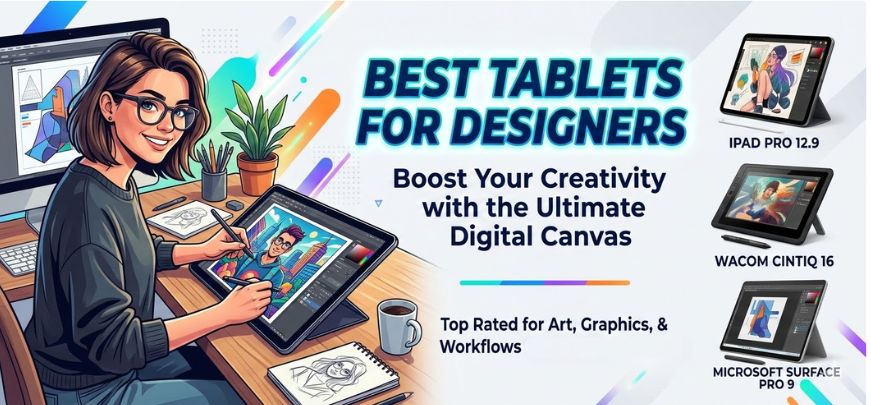
Designers, illustrators, animators, and digital artists require powerful tablets that deliver precision, color accuracy, performance, and creative flexibility. Modern creative workflows demand devices capable of handling high-resolution canvases, complex vector artwork, 3D rendering, photo editing, and professional illustration tools without lag.
In this comprehensive guide, we explore the best tablets for designers in 2026, carefully selected based on display quality, stylus performance, processing power, portability, compatibility with design software, and overall creative workflow efficiency. Whether you are a graphic designer, UI/UX specialist, illustrator, architect, or digital painter, these tablets represent the top professional tools available today.
Why Designers Need a High-Performance Tablet
Creative professionals rely heavily on devices that allow natural drawing experiences and seamless design workflows. A high-quality design tablet provides advantages that traditional laptops or desktops cannot fully replicate.
Key reasons designers prefer tablets include:
-
Precise stylus input for drawing and sketching
-
Pressure sensitivity for natural brush strokes
-
Ultra-accurate color reproduction
-
Portability for working anywhere
-
Touch interaction for intuitive design
-
Compatibility with professional creative apps
Modern tablets now support powerful design applications such as Adobe Photoshop, Adobe Illustrator, Procreate, Affinity Designer, Blender, Sketchbook, and Figma, making them complete creative workstations.
Key Features Designers Must Consider When Choosing a Tablet
Before selecting a tablet for creative work, designers should evaluate several critical hardware and software capabilities.
Display Quality and Color Accuracy
Design work requires precise color representation. Tablets with high-resolution displays and wide color gamut support such as P3 or Adobe RGB allow designers to produce work that looks accurate across devices and print mediums.
Important display specifications include:
-
Resolution (2K, 4K, or higher)
-
Color gamut support
-
Brightness levels
-
Anti-glare coating
-
Laminated display for minimal parallax
Stylus Performance and Pressure Sensitivity
Stylus capability determines how natural drawing feels.
Professional designers benefit from styluses offering:
-
4096 to 8192 pressure levels
-
Tilt recognition
-
Low latency
-
Palm rejection
-
Customizable shortcut buttons
These features allow artists to achieve fine lines, shading variations, and realistic brush effects.
Processor Power and RAM
Creative software demands strong performance. Tablets designed for designers should include:
-
High-performance processors
-
Minimum 8GB RAM (16GB preferred)
-
Fast storage for large project files
-
GPU acceleration for rendering
This ensures smooth multitasking, real-time brush rendering, and fast file processing.
Battery Life for Mobile Creativity
Designers working remotely need tablets capable of long creative sessions without constant charging. Modern premium tablets offer 10 to 15 hours of battery life.
Software Ecosystem and App Compatibility
A tablet is only as powerful as the software it supports. The best tablets for designers run ecosystems that include:
-
Professional illustration apps
-
Photo editing tools
-
3D modeling applications
-
UI/UX design platforms
Compatibility with Adobe Creative Cloud and professional creative tools is essential.
Top Tablets for Designers in 2026
Below are the most powerful tablets available for creative professionals today.
1. Apple iPad Pro M4 – The Ultimate Creative Tablet
The Apple iPad Pro M4 stands as one of the most powerful tablets ever created for designers. Equipped with Apple’s advanced M4 chip, this device delivers desktop-level performance in a portable form factor.
Key Features
-
Ultra Retina XDR OLED display
-
M4 chip for professional performance
-
Apple Pencil Pro support
-
ProMotion 120Hz refresh rate
-
Exceptional color accuracy
Why Designers Love It
The Apple Pencil Pro provides extremely low latency and incredible precision, making the iPad Pro ideal for:
-
Digital painting
-
Concept art
-
Illustration
-
Photo editing
-
UI design
Applications such as Procreate, Adobe Fresco, and Affinity Designer run flawlessly on this tablet.
2. Samsung Galaxy Tab S9 Ultra – Best Android Tablet for Designers
The Samsung Galaxy Tab S9 Ultra is a large-screen powerhouse built specifically for creative professionals who prefer Android.
Key Features
-
14.6-inch Dynamic AMOLED display
-
Included S Pen stylus
-
Snapdragon flagship processor
-
Excellent multitasking features
-
Large workspace for drawing
Designer Advantages
The large display offers extra space for tool panels and canvases, allowing designers to work more comfortably.
The S Pen stylus provides natural pressure sensitivity and precise stroke control, making it excellent for:
-
Digital sketching
-
Storyboarding
-
Graphic design
3. Microsoft Surface Pro 9 – Best Tablet for Full Desktop Design Software
For designers who require full desktop applications, the Microsoft Surface Pro 9 is an outstanding choice.
Key Features
-
Windows 11 operating system
-
Intel Core processor options
-
Surface Slim Pen 2 compatibility
-
PixelSense touchscreen display
-
Laptop-tablet hybrid design
Professional Benefits
Unlike many tablets, the Surface Pro allows designers to run full desktop software including:
-
Adobe Photoshop
-
Adobe Illustrator
-
Blender
-
AutoCAD
-
CorelDRAW
This makes it perfect for professional designers who need advanced creative tools.
4. Wacom MobileStudio Pro – Professional Artist Workstation
The Wacom MobileStudio Pro is designed specifically for serious digital artists and illustrators.
Key Features
-
4K display with exceptional color accuracy
-
Wacom Pro Pen technology
-
8192 pressure levels
-
Professional graphics performance
Why Artists Choose Wacom
Wacom devices are famous for their industry-leading pen technology. Artists enjoy:
-
Natural drawing feel
-
Perfect pen tracking
-
Professional creative accuracy
This tablet is ideal for illustrators, animators, and concept artists.
5. Lenovo Tab P12 Pro – Powerful Budget Option
Designers looking for affordable creative tablets often choose the Lenovo Tab P12 Pro.
Key Features
-
OLED display
-
Lenovo Precision Pen support
-
Strong performance
-
Lightweight design
It offers excellent performance for:
-
Sketching
-
Note-taking
-
Entry-level digital art
-
Creative ideation
Best Tablets for Specific Design Fields
Different design disciplines require different tools.
Best Tablet for Graphic Designers
Graphic designers benefit most from:
-
iPad Pro
-
Surface Pro
-
Wacom MobileStudio Pro
These tablets support vector design tools and professional editing software.
Best Tablet for Illustrators
Illustrators require:
-
Natural pen response
-
High pressure sensitivity
-
Accurate brush simulation
Top choices include:
-
iPad Pro with Apple Pencil
-
Wacom MobileStudio Pro
-
Samsung Galaxy Tab S9 Ultra
Best Tablet for 3D Designers
3D artists require strong GPU power and advanced software compatibility.
Recommended tablets:
-
Microsoft Surface Pro
-
High-end Windows tablets
-
Workstation-level creative tablets
Essential Accessories for Designers Using Tablets
Accessories enhance the creative experience and productivity.
Professional Stylus
Stylus technology directly affects drawing precision. Designers should choose styluses offering:
-
High pressure sensitivity
-
Tilt detection
-
Customizable shortcuts
Keyboard Attachments
Keyboards transform tablets into complete design workstations, allowing:
-
Shortcut usage
-
Faster typing
-
Improved workflow
Protective Cases and Stands
Adjustable stands help designers maintain comfortable drawing angles, reducing strain during long sessions.
How Tablets Improve Creative Workflows
Modern tablets enable efficient and flexible design workflows.
Benefits include:
-
Portable creative studios
-
Touch-based design interaction
-
Instant sketching capabilities
-
Cloud synchronization across devices
-
Faster collaboration
Designers can now create, edit, and present projects from anywhere.
Future Trends in Designer Tablets
Tablet technology continues to evolve rapidly. Upcoming advancements include:
-
AI-assisted creative tools
-
Higher color accuracy displays
-
Improved stylus responsiveness
-
Advanced GPU capabilities
-
Enhanced AR and 3D design integration
These innovations will further transform digital art and design workflows.
Comparison Table – Best Tablets for Designers
| Tablet | Display | Stylus | Best For | OS |
|---|---|---|---|---|
| iPad Pro M4 | OLED Ultra Retina | Apple Pencil Pro | Illustrators & Designers | iPadOS |
| Galaxy Tab S9 Ultra | AMOLED 14.6 | S Pen | Android Designers | Android |
| Surface Pro 9 | PixelSense | Slim Pen 2 | Desktop Design Software | Windows |
| Wacom MobileStudio Pro | 4K Display | Wacom Pro Pen | Professional Artists | Windows |
| Lenovo Tab P12 Pro | OLED | Precision Pen | Budget Designers | Android |
FAQs
1. What is the best tablet for graphic designers?
The iPad Pro M4 is widely considered the best tablet for graphic designers because of its powerful processor, professional display, and Apple Pencil precision.
2. Which tablet is best for digital art?
Top tablets for digital art include:
-
Apple iPad Pro
-
Wacom MobileStudio Pro
-
Samsung Galaxy Tab S9 Ultra
3. Do designers need stylus support?
Yes. Stylus support allows:
-
Natural drawing
-
Pressure-sensitive strokes
-
Professional illustration control
4. Can tablets replace laptops for designers?
High-end tablets can replace laptops for many design tasks, especially when paired with keyboards and styluses.
5. Which tablet has the best screen for designers?
The iPad Pro OLED display offers one of the most accurate color displays available.
6. What RAM is required for design tablets?
Professional designers should choose tablets with at least 8GB RAM, while 16GB provides smoother multitasking.
7. Which tablet is best for Adobe Illustrator?
The Microsoft Surface Pro works best because it runs the full desktop version of Illustrator.
8. Is Android good for designers?
Yes. Tablets like the Galaxy Tab S9 Ultra offer powerful drawing capabilities and excellent stylus support.
9. What pressure sensitivity is ideal?
Professional artists prefer 8192 pressure levels for accurate brush strokes.
10. Are tablets good for UI/UX design?
Yes. Tablets support apps such as:
-
Figma
-
Adobe XD
-
Sketch
-
Prototyping tools
11. Do tablets support external storage?
Many tablets support cloud storage or external drives.
12. Which tablet is best for beginners?
The Lenovo Tab P12 Pro is an affordable option for beginner designers.
13. Are tablets suitable for animation?
Yes. Many tablets support animation apps such as RoughAnimator and Procreate Dreams.
14. What size tablet is best for drawing?
Designers prefer 12–14 inch displays for comfortable drawing.
15. Do tablets support 3D modeling?
Some tablets support Blender, Nomad Sculpt, and other 3D tools.
16. Are tablets better than drawing tablets?
Standalone tablets offer portability and independence, while drawing tablets require computers.
17. What is the best stylus for designers?
Top styluses include:
-
Apple Pencil
-
S Pen
-
Wacom Pro Pen
18. Do tablets support multitasking?
Yes. Modern tablets allow multiple apps simultaneously.
19. Can tablets edit high-resolution images?
High-end tablets handle large PSD files and high-resolution artwork.
20. Do tablets support cloud collaboration?
Yes. Designers can collaborate using cloud storage platforms.
21. Which tablet is best for architects?
The Surface Pro is excellent for architects because it runs AutoCAD and other professional tools.
22. Are tablets good for logo design?
Yes. Tablets allow precise vector drawing and editing.
23. Can tablets handle large design projects?
High-end tablets with powerful processors and RAM handle complex projects easily.
24. Do tablets support keyboard shortcuts?
Yes. External keyboards enable shortcut commands for faster workflows.
25. What is the most powerful tablet for designers today?
The iPad Pro M4 currently offers industry-leading performance for creative professionals.
For more information and to start using Roobae.com, visit our official website and download the app to stay updated on the best deals and offers. With Roobae.com, you can ensure that every shopping experience is not just an opportunity to shop but an opportunity to save big