
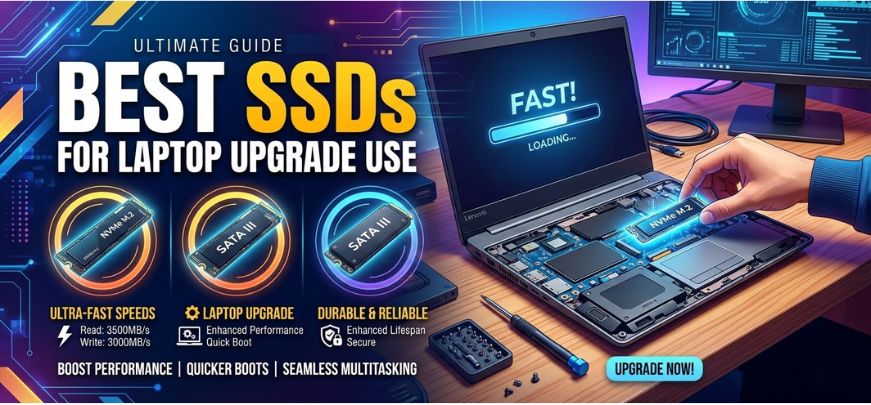
Upgrading a laptop with a Solid State Drive (SSD) is one of the most effective ways to dramatically improve system speed, responsiveness, boot time, and application performance. Traditional hard drives struggle with modern workloads, while SSD technology offers lightning-fast data transfer speeds, reduced latency, lower power consumption, and superior durability.
In this comprehensive guide, we explore the best SSDs for laptop upgrades in 2026, helping users choose the perfect storage solution for performance, gaming, productivity, and everyday computing. We examine NVMe SSDs, SATA SSDs, capacity options, reliability ratings, and price-to-performance ratios to ensure that every laptop upgrade delivers maximum value and efficiency.
Understanding SSD Technology for Laptop Upgrades
Before selecting the best SSD, we must understand the types of SSD technology available today.
SATA SSD
SATA SSDs use the traditional SATA interface, which is significantly faster than HDDs but slower than NVMe drives.
Key characteristics:
-
Speeds up to 550 MB/s
-
Compatible with older laptops
-
Affordable upgrade option
-
Reliable for everyday tasks
NVMe SSD
NVMe SSDs connect via PCIe interface, enabling much higher bandwidth and ultra-fast speeds.
Advantages:
-
Speeds exceeding 7000 MB/s
-
Perfect for gaming, video editing, and heavy workloads
-
Reduced system latency
-
Faster application loading
M.2 SSD
M.2 refers to the physical form factor used by modern SSDs.
It supports:
-
SATA M.2
-
NVMe PCIe M.2
Most modern laptops support M.2 NVMe drives, making them the preferred upgrade.
Why Upgrading to an SSD Is Essential for Laptop Performance
Replacing an HDD with an SSD delivers immediate performance improvements.
1. Faster Boot Times
Modern SSDs allow laptops to boot in 5–10 seconds, compared to 40–90 seconds with HDDs.
2. Instant Application Launch
Applications like Photoshop, Chrome, and Microsoft Office load significantly faster.
3. Better Multitasking
SSD storage improves file access speeds, allowing smooth multitasking.
4. Improved Battery Life
SSDs consume less power, extending laptop battery performance.
5. Shock Resistance
Unlike HDDs, SSDs have no moving parts, making them more durable.
Top Features to Consider When Buying an SSD for Laptop Upgrade
Choosing the right SSD requires evaluating several key performance indicators.
1. Storage Capacity
Recommended capacities:
| Capacity | Best For |
|---|---|
| 256GB | Basic users |
| 512GB | Students and office work |
| 1TB | Gaming and media storage |
| 2TB+ | Content creators |
2. Read and Write Speeds
Typical performance ranges:
| SSD Type | Read Speed | Write Speed |
|---|---|---|
| SATA SSD | 500 MB/s | 450 MB/s |
| NVMe Gen3 | 3500 MB/s | 3000 MB/s |
| NVMe Gen4 | 7000 MB/s | 6500 MB/s |
3. Endurance (TBW Rating)
TBW (Terabytes Written) measures SSD lifespan.
Higher TBW means longer durability and reliability.
Example:
| Capacity | Typical TBW |
|---|---|
| 500GB | 300 TBW |
| 1TB | 600 TBW |
| 2TB | 1200 TBW |
4. NAND Flash Type
Different NAND technologies affect performance and lifespan.
| NAND Type | Performance | Durability |
|---|---|---|
| SLC | Highest | Highest |
| MLC | High | High |
| TLC | Balanced | Moderate |
| QLC | Budget | Lower |
Most modern SSDs use TLC NAND, offering great balance of price and reliability.
Best SSDs for Laptop Upgrade in 2026
Below are the top SSD choices for upgrading laptops based on speed, reliability, capacity, and value.
1. Samsung 990 Pro – Best Overall Laptop SSD
The Samsung 990 Pro remains one of the fastest and most reliable NVMe SSDs available.
Key Specifications
| Feature | Details |
|---|---|
| Interface | PCIe 4.0 NVMe |
| Read Speed | Up to 7450 MB/s |
| Write Speed | Up to 6900 MB/s |
| Capacity | 1TB / 2TB / 4TB |
| NAND | Samsung TLC |
Why It Stands Out
-
Exceptional speed for gaming and heavy workloads
-
Advanced thermal control
-
Industry-leading reliability
2. WD Black SN850X – Best SSD for Gaming Laptops
The Western Digital WD Black SN850X is designed for high-performance computing and gaming laptops.
Highlights
-
Extreme read speeds
-
Optimized firmware for gaming
-
Low latency performance
Specifications
| Feature | Details |
|---|---|
| Interface | PCIe Gen4 |
| Read Speed | 7300 MB/s |
| Write Speed | 6600 MB/s |
| Capacity | Up to 4TB |
3. Crucial T500 – Best Value NVMe SSD
The Crucial T500 offers excellent performance at a competitive price.
Advantages
-
Great price-to-performance ratio
-
Reliable TLC NAND
-
Ideal for everyday laptop upgrades
Specs
| Feature | Details |
|---|---|
| Interface | PCIe 4.0 |
| Read Speed | 7400 MB/s |
| Write Speed | 7000 MB/s |
| Capacity | 500GB / 1TB / 2TB |
4. Kingston KC3000 – High Performance NVMe SSD
The Kingston KC3000 is a powerful storage upgrade for professionals and gamers.
Benefits
-
Outstanding sustained performance
-
High endurance ratings
-
Reliable thermal management
| Feature | Details |
|---|---|
| Interface | PCIe 4.0 |
| Read Speed | 7000 MB/s |
| Write Speed | 7000 MB/s |
| Capacity | Up to 4TB |
5. Samsung 870 EVO – Best SATA SSD Upgrade
For laptops without NVMe slots, the Samsung 870 EVO SATA SSD remains the best option.
Features
-
Proven reliability
-
Great compatibility
-
Excellent endurance
| Feature | Details |
|---|---|
| Interface | SATA III |
| Read Speed | 560 MB/s |
| Write Speed | 530 MB/s |
| Capacity | Up to 4TB |
NVMe vs SATA SSD: Which One Should You Choose?
| Feature | NVMe SSD | SATA SSD |
|---|---|---|
| Speed | Extremely fast | Moderate |
| Price | Higher | Lower |
| Interface | PCIe | SATA |
| Ideal For | Gaming, editing | Basic upgrades |
Recommendation:
-
Choose NVMe SSD if your laptop supports it.
-
Choose SATA SSD for older laptops.
Step-by-Step Guide to Upgrading a Laptop SSD
Step 1: Check Compatibility
Verify whether your laptop supports:
-
M.2 NVMe
-
M.2 SATA
-
2.5-inch SATA
Step 2: Backup Your Data
Before upgrading, always create a full backup.
Step 3: Clone Your Existing Drive
Use software like:
-
Macrium Reflect
-
Acronis True Image
Step 4: Install the SSD
-
Turn off laptop
-
Remove back panel
-
Insert SSD into slot
-
Secure with screw
Step 5: Install Operating System
Either:
-
Clone the old drive
-
Perform a clean OS installation
How Much Performance Improvement Can You Expect?
Upgrading from HDD to SSD improves performance dramatically.
| Task | HDD | SSD |
|---|---|---|
| Boot Time | 60 sec | 8 sec |
| File Transfer | 100 MB/s | 3500 MB/s |
| App Launch | Slow | Instant |
Best SSD Capacities for Different Users
| User Type | Recommended SSD |
|---|---|
| Students | 512GB |
| Professionals | 1TB |
| Gamers | 1TB – 2TB |
| Video Editors | 2TB – 4TB |
Common Mistakes to Avoid When Buying an SSD
-
Buying SATA when laptop supports NVMe
-
Ignoring thermal throttling
-
Choosing cheap QLC NAND drives
-
Selecting insufficient capacity
How to Maintain SSD Performance
To ensure long-term reliability:
-
Enable TRIM support
-
Keep 20% free storage
-
Update SSD firmware
-
Avoid excessive writes
Future of SSD Technology
Storage technology continues to evolve rapidly.
Upcoming innovations include:
-
PCIe 5.0 SSDs exceeding 14,000 MB/s
-
AI-optimized storage controllers
-
Higher density NAND flash
-
Improved energy efficiency
These advancements will make laptop upgrades even faster and more reliable.
Final Thoughts: Choosing the Best SSD for Laptop Upgrade
Upgrading to a modern SSD is the most impactful hardware upgrade available for laptops today. Whether you choose a high-performance NVMe drive like Samsung 990 Pro or a reliable SATA SSD like Samsung 870 EVO, the benefits include dramatically improved speed, faster boot times, enhanced multitasking, and better system responsiveness.
By selecting the right capacity, interface, and NAND technology, users can ensure their laptops remain powerful, efficient, and future-ready for years to come.
FAQs
1. What is the best SSD for laptop upgrade?
The Samsung 990 Pro is widely considered one of the best SSDs due to its speed, reliability, and performance.
2. Is NVMe better than SATA SSD?
Yes. NVMe SSDs are significantly faster because they use PCIe interface.
3. Can any laptop use SSD?
Most laptops support either SATA SSD or NVMe SSD upgrades.
4. How much SSD storage do I need?
-
512GB for general use
-
1TB for gaming
-
2TB+ for professional workloads
5. Does SSD improve gaming performance?
It reduces game loading times and improves system responsiveness.
6. Are SSDs reliable?
Yes, modern SSDs offer excellent durability and endurance ratings.
7. Can SSD fail suddenly?
Rarely, but it is recommended to maintain backups.
8. Is cloning better than reinstalling OS?
Cloning saves time, but clean installs deliver better long-term performance.
9. Does SSD affect battery life?
Yes, SSDs consume less power than HDDs.
10. Can SSD overheat?
High-performance NVMe drives may generate heat under heavy loads.
11. What is TBW in SSD?
TBW indicates how much data can be written before the drive wears out.
12. What SSD capacity is best for gaming laptops?
1TB or 2TB SSDs provide optimal storage.
13. Are cheap SSDs worth buying?
Budget SSDs may have lower endurance and performance.
14. Can I install SSD without removing HDD?
Some laptops allow dual storage configurations.
15. Does SSD increase laptop speed?
Yes, it significantly improves system responsiveness and boot times.
16. Do SSDs require maintenance?
Minimal maintenance is required.
17. What is the fastest SSD interface?
PCIe Gen4 NVMe currently delivers the highest speeds.
18. Should I upgrade RAM or SSD first?
SSD upgrade usually provides more noticeable performance improvement.
19. Can SSD store operating systems?
Yes, SSDs are ideal for installing operating systems.
20. How long do SSDs last?
Most SSDs last 5–10 years under normal usage.
21. What is DRAM cache in SSD?
DRAM improves data access speed and drive efficiency.
22. Do SSDs slow down over time?
Performance remains stable with proper maintenance.
23. Are external SSDs good for laptops?
Yes, they provide portable high-speed storage.
24. Is SSD upgrade expensive?
Prices have decreased significantly, making upgrades affordable.
25. Is SSD worth upgrading in old laptops?
Yes, SSD upgrades extend laptop lifespan and improve performance dramatically.
For more information and to start using Roobae.com, visit our official website and download the app to stay updated on the best deals and offers. With Roobae.com, you can ensure that every shopping experience is not just an opportunity to shop but an opportunity to save big