
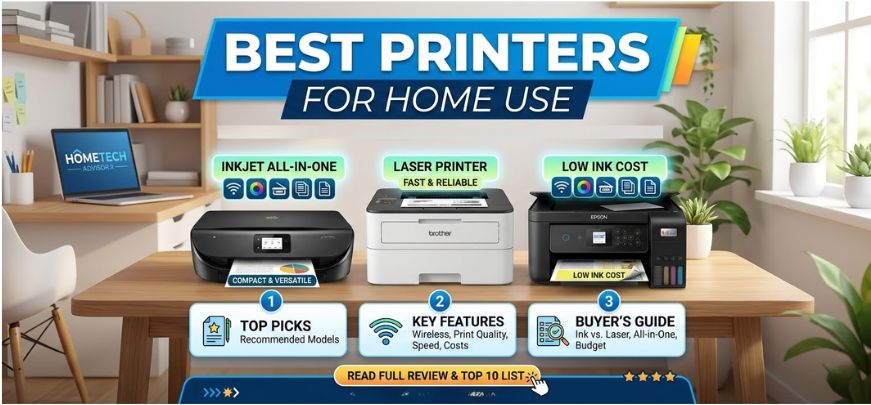
Printing at home has evolved dramatically in recent years. Modern households now require versatile printers capable of handling documents, school assignments, photos, and even small business tasks. Choosing the right device is essential for ensuring high print quality, low running costs, and long-term reliability.
In this comprehensive guide, we explore the best printers for home use in 2026, covering inkjet, laser, and all-in-one printers designed for efficiency and affordability. We also provide a detailed buying guide, comparison tables, expert insights, and answers to frequently asked questions to help you make the best possible purchasing decision.
Why Choosing the Right Home Printer Matters
Selecting a printer for home use is no longer simply about printing documents. Today’s printers offer advanced connectivity, mobile printing, scanning, copying, and cloud integration. The right device ensures:
-
Lower cost per page
-
High print quality for documents and photos
-
Wireless connectivity for multiple devices
-
Fast printing speeds
-
Reliable long-term performance
A well-chosen printer becomes an essential household productivity tool, supporting work-from-home professionals, students, and families alike.
Types of Printers for Home Use
Before choosing the best printer, understanding the main categories helps narrow down the right option.
Inkjet Printers
Inkjet printers remain one of the most popular choices for home users because they offer:
-
Excellent color printing
-
Affordable upfront cost
-
High-quality photo printing
-
Compact designs suitable for home desks
They are ideal for students, families, and creative users who frequently print color documents or images.
Laser Printers
Laser printers are preferred for high-volume document printing. They deliver:
-
Fast printing speeds
-
Sharp text quality
-
Lower cost per page
-
High efficiency for office-style printing
Laser printers are perfect for home offices, remote workers, and users who print large volumes of documents regularly.
All-in-One Printers
All-in-one printers combine printing, scanning, copying, and sometimes faxing in a single device. Their benefits include:
-
Space-saving multifunction design
-
Convenience for everyday home tasks
-
Versatility for work and study
These devices are the most practical choice for most households.
Top 10 Best Printers for Home Use in 2026
Below are the most reliable and feature-rich printers available for home users, offering a balance of performance, cost efficiency, and convenience.
1. HP DeskJet 4155e – Best Budget Home Printer
The HP DeskJet 4155e is one of the most affordable and user-friendly home printers available today.
Key Features
-
Wireless printing
-
Automatic document feeder
-
Mobile printing via HP Smart App
-
Compact all-in-one design
Why It Stands Out
This printer is perfect for basic home printing needs, including homework, occasional documents, and simple scanning tasks.
2. Epson EcoTank ET-2850 – Best for Low Ink Costs
The Epson EcoTank ET-2850 revolutionizes printing with its cartridge-free ink tank system, significantly reducing long-term printing costs.
Key Advantages
-
Ultra-low cost per page
-
High page yield
-
Wireless connectivity
-
Excellent color printing
This printer is ideal for frequent home printing without worrying about expensive cartridges.
3. Canon PIXMA G3270 – Best Ink Tank Printer
Canon’s PIXMA G3270 offers high-capacity ink tanks and outstanding color reproduction, making it perfect for photos and documents.
Key Benefits
-
High volume printing
-
Sharp photo quality
-
Wireless printing
-
Compact design
This model is particularly suitable for creative users and families printing photos regularly.
4. Brother HL-L2350DW – Best Laser Printer for Home
The Brother HL-L2350DW delivers fast and reliable monochrome printing, making it an excellent choice for document-heavy households.
Key Highlights
-
Fast printing speed
-
Automatic duplex printing
-
Compact footprint
-
Low toner cost
It is perfect for home offices and students who print large amounts of text documents.
5. HP OfficeJet Pro 9015e – Best All-in-One Printer
The HP OfficeJet Pro 9015e combines professional performance with home convenience.
Standout Features
-
High print speeds
-
Automatic duplex scanning
-
Smart app integration
-
High-capacity paper tray
It works exceptionally well for remote workers and productivity-focused households.
6. Canon PIXMA TR8620a – Best Photo Printer for Home
The Canon PIXMA TR8620a offers professional photo printing combined with office features.
Advantages
-
Exceptional color accuracy
-
Borderless photo printing
-
Large touchscreen display
-
Multiple connectivity options
This printer is perfect for photography enthusiasts and creative professionals working from home.
7. Epson Workforce WF-4830 – Best for Home Office
The Epson Workforce WF-4830 provides enterprise-level productivity for home offices.
Top Features
-
High-speed printing
-
Automatic duplex scanning
-
Large paper capacity
-
Advanced wireless connectivity
It handles large workloads efficiently, making it ideal for remote work environments.
8. Brother MFC-J4335DW – Best for Efficiency
The Brother MFC-J4335DW is known for durability and low operating costs.
Highlights
-
High-yield ink cartridges
-
Automatic duplex printing
-
Reliable performance
-
Easy setup
This printer suits families and professionals looking for dependable everyday printing.
9. HP Smart Tank 7602 – Best Smart Ink Tank Printer
The HP Smart Tank 7602 offers massive ink capacity and advanced connectivity features.
Key Advantages
-
Up to thousands of pages per refill
-
Mobile and cloud printing
-
High resolution printing
-
Smart home compatibility
It is perfect for high-volume printing households.
10. Canon MegaTank GX4020 – Best Premium Home Printer
The Canon MegaTank GX4020 is a premium printer designed for efficiency, quality, and long-term reliability.
Top Features
-
Massive ink capacity
-
Business-level print quality
-
Fast printing speed
-
Durable build
This device is ideal for power users who demand high performance from a home printer.
Printer Comparison Table
| Printer Model | Type | Best For | Print Speed | Connectivity |
|---|---|---|---|---|
| HP DeskJet 4155e | Inkjet | Budget users | Moderate | WiFi |
| Epson EcoTank ET-2850 | Ink Tank | Low ink cost | Moderate | WiFi |
| Canon PIXMA G3270 | Ink Tank | Photo printing | Moderate | WiFi |
| Brother HL-L2350DW | Laser | Document printing | Fast | WiFi |
| HP OfficeJet Pro 9015e | All-in-One | Productivity | Fast | WiFi + Ethernet |
| Canon PIXMA TR8620a | Inkjet | Photos | Moderate | WiFi |
| Epson WF-4830 | All-in-One | Home office | Fast | WiFi |
| Brother MFC-J4335DW | Inkjet | Efficiency | Moderate | WiFi |
| HP Smart Tank 7602 | Ink Tank | High volume | Fast | WiFi |
| Canon MegaTank GX4020 | Ink Tank | Premium printing | Fast | WiFi |
How to Choose the Best Printer for Home Use
Selecting the right printer requires evaluating several critical factors.
Printing Volume
Determine how often you print:
-
Occasional printing: Inkjet printers
-
Frequent printing: Ink tank printers
-
Heavy document printing: Laser printers
Cost of Ink or Toner
Long-term printing costs matter more than the initial purchase price.
Ink tank printers offer significantly lower cost per page, making them ideal for frequent printing.
Connectivity Options
Modern printers should support:
-
Wi-Fi printing
-
Mobile printing
-
Cloud printing
-
USB connectivity
Wireless features allow printing from smartphones, tablets, and laptops effortlessly.
Print Quality
For documents and photos, resolution matters.
-
Text printing: Laser printers excel
-
Photo printing: Inkjet printers provide superior color quality
Multifunction Features
Many users benefit from printers that include:
-
Scanning
-
Copying
-
Automatic duplex printing
-
Document feeders
These features make everyday tasks faster and more convenient.
Tips for Maintaining Your Home Printer
Proper maintenance ensures longer printer lifespan and consistent print quality.
Essential maintenance tips
-
Clean print heads regularly
-
Use genuine ink or toner cartridges
-
Avoid long idle periods
-
Keep the printer dust-free
-
Update printer firmware regularly
These practices prevent clogging, paper jams, and performance issues.
Advantages of Having a Home Printer
Owning a printer at home provides several practical benefits:
-
Instant printing without visiting print shops
-
Convenient document scanning and copying
-
Cost savings for frequent printing
-
Support for remote work and online learning
Modern printers are also designed to be compact, energy efficient, and easy to use.
Future Trends in Home Printing Technology
Printing technology continues to evolve rapidly. Future home printers are expected to include:
-
AI-assisted print optimization
-
Faster wireless printing
-
Smart home integration
-
More eco-friendly ink systems
-
Higher resolution photo printing
These innovations will make home printing more efficient, affordable, and environmentally friendly.
FAQs
1. What is the best printer for home use in 2026?
The best printer depends on usage. Ink tank printers like Epson EcoTank models are ideal for frequent printing.
2. Which printer is cheapest to maintain?
Ink tank printers generally have the lowest long-term printing costs.
3. Are laser printers better than inkjet printers?
Laser printers are better for text documents, while inkjet printers are better for photos and color prints.
4. What printer is best for students?
Affordable all-in-one inkjet printers are excellent for students.
5. How long do home printers last?
Most home printers last 3–7 years depending on usage and maintenance.
6. Is wireless printing necessary?
Wireless printing is highly convenient for smartphones, tablets, and laptops.
7. What is duplex printing?
Duplex printing allows automatic double-sided printing.
8. Are ink tank printers worth buying?
Yes. They offer extremely low cost per page.
9. Which printer is best for photos?
Canon PIXMA printers are widely known for excellent photo printing quality.
10. Do printers support mobile printing?
Most modern printers support mobile apps and wireless printing.
11. What is print resolution?
Print resolution measures image sharpness and detail, usually in DPI.
12. Are all-in-one printers better?
Yes. They combine printing, scanning, and copying.
13. How fast do home printers print?
Typical home printers print 10–30 pages per minute.
14. Can printers print directly from phones?
Yes. Most printers support Android and iOS printing apps.
15. What is the best printer for remote work?
All-in-one printers with scanning and wireless features work best.
16. Do printers require regular maintenance?
Yes. Occasional cleaning prevents performance issues.
17. How much does printer ink cost?
Ink costs vary, but ink tank printers offer significant savings.
18. Are compact printers good for home use?
Yes. They save space and handle everyday tasks efficiently.
19. What is the difference between toner and ink?
Toner is used in laser printers, while ink is used in inkjet printers.
20. Can printers connect to WiFi networks?
Yes. Most modern printers support wireless connectivity.
21. Do printers support cloud printing?
Many printers support services like Google Cloud Print alternatives.
22. Which brand makes the best printers?
Top brands include HP, Canon, Epson, and Brother.
23. Are printers energy efficient?
Most modern printers include energy-saving modes.
24. What is the best budget printer?
HP DeskJet models are among the best affordable options.
25. Can printers print borderless photos?
Yes. Many inkjet printers support borderless photo printing.
For more information and to start using Roobae.com, visit our official website and download the app to stay updated on the best deals and offers. With Roobae.com, you can ensure that every shopping experience is not just an opportunity to shop but an opportunity to save big.