
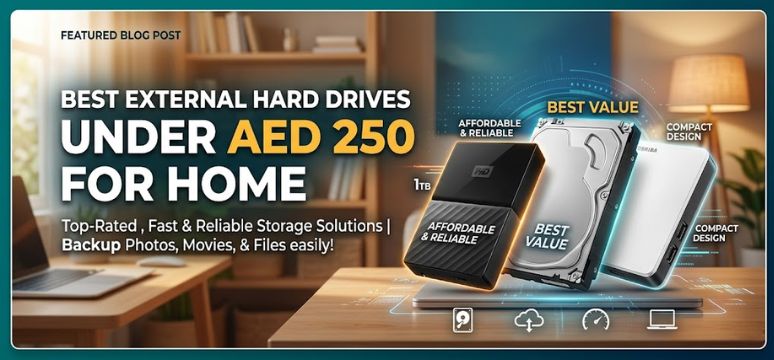
In today’s data-driven world, reliable external storage is no longer optional—it is essential. Whether we are managing professional workloads, safeguarding personal memories, or expanding storage for gaming and multimedia, choosing the best external hard drive under AED 250 requires a precise balance of performance, durability, and value.
We have carefully curated this comprehensive guide to help you identify the most powerful, affordable, and dependable storage solutions within this budget. Every recommendation and insight below is crafted to deliver maximum performance at minimal cost, ensuring that your investment delivers long-term value.
Why External Hard Drives Still Matter in 2026
Despite the rise of cloud storage, external hard drives remain unmatched in affordability, portability, and control over data.
Key Advantages
-
Offline access with zero dependency on internet speed
-
One-time cost without recurring subscriptions
-
High storage capacity at a fraction of SSD prices
-
Enhanced privacy and security
For users looking under AED 250, external HDDs provide the best cost-per-gigabyte ratio, making them the smartest storage choice.
Top Features to Look for in External Hard Drives Under AED 250
Before selecting the ideal device, we must evaluate key performance parameters:
1. Storage Capacity
Most drives in this price range offer:
-
500GB to 1TB (standard)
-
Occasionally 2TB deals during discounts
2. Data Transfer Speed
-
USB 3.0 or USB 3.2 Gen 1 is essential
-
Transfer speeds up to 120–150 MB/s
3. Build Quality & Durability
-
Shock-resistant casing
-
Scratch-proof exterior
-
Lightweight, portable design
4. Compatibility
-
Plug-and-play for Windows, macOS, Linux
-
Some drives support gaming consoles
5. Brand Reliability
Choosing trusted brands ensures:
-
Better data protection
-
Longer lifespan
-
Reliable after-sales support
Best External Hard Drives Under AED 250 (Top Picks)
1. WD Elements Portable External Hard Drive
Why We Recommend It
The WD Elements series delivers consistent performance, minimal design, and unmatched reliability.
Key Features
-
Capacity: 1TB
-
Interface: USB 3.0
-
Speed: Up to 130 MB/s
-
Compatibility: Windows & Mac (reformat required)
Advantages
-
Ultra-lightweight and compact
-
Trusted durability
-
Excellent price-to-performance ratio
Best For
-
Students
-
Office backups
-
Everyday storage needs
2. Seagate Expansion Portable Drive
Why It Stands Out
Seagate’s Expansion series is known for its plug-and-play simplicity and consistent speed performance.
Key Features
-
Capacity: 1TB
-
Interface: USB 3.0
-
Setup: No software required
Advantages
-
Sleek design
-
Quick installation
-
Reliable for long-term use
Best For
-
Media storage
-
File backups
-
Beginners
3. Toshiba Canvio Basics Portable Hard Drive
Why It’s a Smart Choice
Toshiba offers clean design and strong performance at budget-friendly pricing.
Key Features
-
Capacity: 1TB
-
Finish: Matte anti-smudge
-
Interface: USB 3.0
Advantages
-
Scratch-resistant surface
-
Stable data transfer speeds
-
Excellent portability
Best For
-
Professionals
-
Daily backup users
-
Lightweight travel storage
4. Transcend StoreJet 25M3 (Occasional Deal Pick)
Why It’s Worth Watching
While sometimes slightly above AED 250, deals bring it into budget—offering military-grade durability.
Key Features
-
Shock-resistant rubber casing
-
One-touch backup button
-
Advanced internal suspension system
Advantages
-
Superior protection
-
Ideal for rough usage
-
Long-lasting build
Best For
-
Frequent travelers
-
Field professionals
-
Heavy-duty usage
HDD vs SSD Under AED 250 – Which Should You Choose?
| Feature | HDD | SSD |
|---|---|---|
| Price | Lower | Higher |
| Capacity | Higher | Lower |
| Speed | Moderate | Very Fast |
| Durability | Medium | High |
| Best Use | Storage & Backup | Performance Tasks |
Conclusion
Under AED 250, HDDs dominate in value and storage capacity, making them the preferred option for most users.
Best Use Cases for Budget External Hard Drives
1. Backup & Data Protection
-
Store critical files
-
Prevent data loss
-
Maintain offline copies
2. Media Storage
-
Movies, music, photos
-
High-resolution video files
-
Editing projects
3. Gaming Storage
-
Expand console storage
-
Store large game files
-
Improve organization
4. Work & Professional Use
-
Transfer large files
-
Maintain project backups
-
Share data securely
How to Maximize Performance of Your External Hard Drive
Optimization Tips
-
Always use USB 3.0 ports
-
Avoid sudden disconnections
-
Keep drives defragmented (HDD only)
-
Use protective cases
-
Maintain regular backups
Common Mistakes to Avoid
-
Choosing unknown brands
-
Ignoring warranty
-
Overlooking transfer speeds
-
Not checking compatibility
-
Buying outdated USB 2.0 drives
Buying Guide – Step-by-Step Decision Framework
Step 1: Define Your Storage Needs
-
500GB → Basic usage
-
1TB → Recommended
-
2TB → Best value (if discounted)
Step 2: Choose the Right Brand
Stick to:
-
Western Digital
-
Seagate
-
Toshiba
-
Transcend
Step 3: Evaluate Durability
-
Travel users → Rugged drives
-
Home users → Standard drives
Step 4: Compare Pricing
Look for:
-
Seasonal discounts
-
Bundle deals
-
Cashback offers
Future Trends in External Storage
-
Rise of portable SSDs
-
Increasing USB-C adoption
-
Faster transfer protocols
-
Improved durability standards
Even with these advancements, budget HDDs remain unbeatable in affordability.
Final Verdict
For under AED 250, the best choices consistently remain:
-
WD Elements for reliability
-
Seagate Expansion for simplicity
-
Toshiba Canvio Basics for balanced performance
Each of these options delivers maximum storage, dependable speed, and long-term durability—making them ideal for both personal and professional use.
FAQs
General Questions
1. What is the best external hard drive under AED 250?
-
WD Elements and Seagate Expansion are top choices
2. Is 1TB enough for daily use?
-
Yes, it suits most users
3. Are external hard drives safe?
-
Yes, when used properly
4. Can I use it with a Mac?
-
Yes (formatting may be required)
5. How long do hard drives last?
-
Typically 3–5 years
Performance Questions
6. What speed can I expect?
-
Around 100–150 MB/s
7. Does USB version matter?
-
Yes, always choose USB 3.0 or higher
8. Can I improve speed?
-
Use faster ports and cables
9. Is SSD better than HDD?
-
SSD is faster, HDD is more affordable
10. Can I store games?
-
Yes, external drives support gaming storage
Usage Questions
11. Can I use it for backups?
-
Yes, it is ideal for backups
12. Is it portable?
-
Yes, very compact
13. Can it work on TV?
-
Some TVs support external drives
14. Does it need power supply?
-
No, powered via USB
15. Can I encrypt data?
-
Yes, using software tools
Buying Questions
16. Which brand is most reliable?
-
Western Digital and Seagate
17. Should I buy 500GB or 1TB?
-
1TB is better value
18. Is warranty important?
-
Yes, always check warranty
19. Can I get 2TB under AED 250?
-
Occasionally during sales
20. Where to buy?
-
Online marketplaces offer best deals
Technical Questions
21. What file systems are supported?
-
NTFS, exFAT, FAT32
22. Can I partition the drive?
-
Yes
23. Does it support Linux?
-
Yes
24. What is plug-and-play?
-
No setup required
25. Can it fail suddenly?
-
Rare, but backups are recommended
For more information and to start using Roobae.com, visit our official website and download the app to stay updated on the best deals and offers. With Roobae.com, you can ensure that every shopping experience is not just an opportunity to shop but an opportunity to save big