
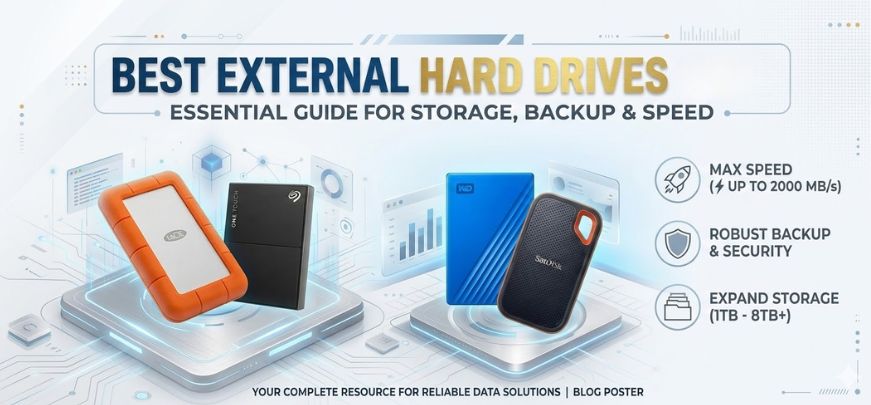
In an increasingly data-driven world, external hard drives remain one of the most essential storage solutions for professionals, gamers, creators, businesses, and everyday users. Whether we need to backup critical files, store massive media libraries, transfer large datasets, or expand storage for laptops and gaming consoles, a high-quality external hard drive provides unmatched convenience and reliability.
With modern advancements in USB-C, Thunderbolt interfaces, SSD-based external drives, and high-capacity HDDs, choosing the right storage device requires careful evaluation of speed, durability, capacity, compatibility, and security features.
In this comprehensive guide, we explore the best external hard drives available in 2026, comparing the top-performing models across multiple categories including portability, speed, durability, and affordability.
Why External Hard Drives Are Still Essential in 2026
Despite the popularity of cloud storage, external hard drives remain indispensable for several critical reasons:
-
Offline data security
-
Faster file transfers compared to cloud uploads
-
Large storage capacities at affordable prices
-
Reliable backups without internet dependency
-
Portable storage for professionals and creators
Modern external drives now offer multi-terabyte capacities, blazing fast SSD speeds, rugged designs, and hardware encryption, making them ideal for photographers, gamers, video editors, students, and businesses.
Types of External Hard Drives
Before selecting the best model, we must understand the two primary categories of external storage devices.
External HDD (Hard Disk Drive)
External HDDs rely on spinning magnetic disks to store data.
Advantages
-
Higher capacities (up to 20TB)
-
Affordable price per GB
-
Ideal for backups and media storage
Disadvantages
-
Slower transfer speeds
-
Moving parts increase risk of damage
-
Heavier compared to SSDs
External SSD (Solid State Drive)
External SSDs use flash memory instead of mechanical parts.
Advantages
-
Extremely fast speeds
-
Shock resistant
-
Lightweight and portable
-
Silent operation
Disadvantages
-
Higher cost per GB
-
Lower capacity compared to HDD
Top External Hard Drives in 2026
Below we present the best external hard drives across various categories, ensuring optimal performance for different use cases.
1. Samsung T9 Portable SSD – Best Overall External Drive
The Samsung T9 Portable SSD represents the pinnacle of high-speed portable storage, delivering exceptional performance with USB 3.2 Gen 2x2 technology.
Key Specifications
| Feature | Details |
|---|---|
| Storage Capacity | 1TB / 2TB / 4TB |
| Interface | USB 3.2 Gen 2x2 |
| Speed | Up to 2000 MB/s |
| Weight | 122g |
| Compatibility | Windows, macOS, Android |
Why We Recommend It
-
Blazing fast transfer speeds
-
Compact and durable design
-
AES 256-bit hardware encryption
-
Excellent reliability for professional workflows
The Samsung T9 is ideal for content creators, video editors, photographers, and professionals handling large files.
2. SanDisk Extreme Portable SSD V2 – Best Rugged External SSD
The SanDisk Extreme Portable SSD V2 is widely regarded as one of the toughest and fastest portable SSDs on the market.
Key Features
-
IP55 water and dust resistance
-
Shock-resistant aluminum chassis
-
Up to 1050 MB/s read speeds
-
Carabiner loop for portability
Capacity Options
-
500GB
-
1TB
-
2TB
-
4TB
This drive is perfect for travelers, outdoor photographers, and professionals needing rugged storage.
3. WD My Passport – Best Affordable External HDD
The Western Digital My Passport remains a trusted choice for affordable high-capacity storage.
Key Advantages
-
Up to 6TB storage
-
Automatic backup software
-
Password protection
-
Compact design
Performance
| Feature | Value |
|---|---|
| Interface | USB 3.0 |
| Max Speed | 140 MB/s |
| Encryption | 256-bit AES |
| Weight | 210g |
This drive is best suited for students, casual users, and general file backups.
4. Seagate Backup Plus Hub – Best Desktop External Drive
For users needing massive storage capacity, the Seagate Backup Plus Hub offers up to 20TB of space.
Why It Stands Out
-
Massive capacity options
-
Two front USB ports for charging devices
-
Excellent for home or office backup systems
Specifications
| Feature | Details |
|---|---|
| Capacity | Up to 20TB |
| Interface | USB 3.0 |
| Power | External adapter |
| Ideal Use | Desktop backup |
This drive is ideal for media libraries, NAS backups, and archival storage.
5. LaCie Rugged Mini – Best Drive for Creators
The LaCie Rugged Mini is famous for its durability and reliability, especially among photographers and videographers.
Top Features
-
Shock, drop, and rain resistance
-
Durable orange protective sleeve
-
High compatibility with Mac and Windows
Performance Overview
| Feature | Specification |
|---|---|
| Capacity | Up to 5TB |
| Speed | 130 MB/s |
| Interface | USB 3.0 |
| Drop Resistance | 1.2 meters |
Its rugged design makes it ideal for fieldwork and travel photography.
6. Crucial X10 Pro – Fastest External SSD
The Crucial X10 Pro is built for users who demand extreme transfer speeds.
Performance Highlights
-
Up to 2100 MB/s read speeds
-
USB-C compatibility
-
Professional-grade reliability
Best For
-
4K and 8K video editing
-
Large RAW image transfers
-
Gaming libraries
7. Toshiba Canvio Advance – Best Budget Storage
The Toshiba Canvio Advance offers an excellent balance of price, capacity, and reliability.
Benefits
-
Stylish design
-
Automatic backup software
-
Password protection
Storage Options
-
1TB
-
2TB
-
4TB
This drive works perfectly for students and casual users needing affordable storage.
How to Choose the Best External Hard Drive
Selecting the right drive depends on several critical factors.
1. Storage Capacity
Choose capacity based on your needs.
| User Type | Recommended Capacity |
|---|---|
| Students | 1TB |
| Gamers | 2TB–4TB |
| Photographers | 4TB–8TB |
| Businesses | 8TB+ |
2. Transfer Speed
Speed depends on drive type and interface.
| Interface | Max Speed |
|---|---|
| USB 3.0 | 5 Gbps |
| USB 3.2 | 10–20 Gbps |
| Thunderbolt 4 | 40 Gbps |
SSDs significantly outperform HDDs for large file transfers.
3. Durability
If you travel frequently, consider rugged drives with shock protection and water resistance.
4. Security Features
Look for drives offering:
-
AES 256-bit encryption
-
Password protection
-
Secure backup software
5. Compatibility
Ensure compatibility with your device.
| Platform | Supported Drives |
|---|---|
| Windows | Most drives |
| macOS | Many require formatting |
| PlayStation / Xbox | Specific compatible models |
External Hard Drives for Gaming Consoles
Modern consoles require large storage expansions.
Best Drives for Gaming
-
Seagate Game Drive
-
WD Black P10
-
Samsung T7 SSD
These drives provide fast loading times and massive game storage capacity.
External SSD vs HDD – Which Is Better?
| Feature | SSD | HDD |
|---|---|---|
| Speed | Extremely Fast | Moderate |
| Durability | High | Moderate |
| Price | Expensive | Affordable |
| Capacity | Lower | Higher |
Recommendation
-
Use SSD for speed
-
Use HDD for massive storage
Tips to Extend the Life of External Hard Drives
To maintain optimal performance:
-
Avoid dropping the drive
-
Safely eject before unplugging
-
Keep away from extreme heat
-
Regularly backup important files
-
Use protective cases for travel
These practices significantly extend drive lifespan and prevent data loss.
Future of External Storage
The future of portable storage includes:
-
Thunderbolt 5 drives
-
10TB portable SSDs
-
AI-powered backup systems
-
Ultra-fast NVMe external storage
These innovations will deliver unprecedented speed and reliability.
Final Verdict: Choosing the Right External Hard Drive
The best external drive depends entirely on your storage needs, speed requirements, and budget.
Quick Recommendations
| Category | Best Choice |
|---|---|
| Overall Best | Samsung T9 Portable SSD |
| Best Rugged Drive | SanDisk Extreme Portable SSD |
| Best Budget | Toshiba Canvio Advance |
| Best High Capacity | Seagate Backup Plus Hub |
| Best for Creators | LaCie Rugged Mini |
Investing in a high-quality external drive ensures safe storage, fast transfers, and reliable backups for years to come.
FAQs
1. What is the best external hard drive in 2026?
Samsung T9 Portable SSD is widely considered the best overall external drive due to its speed and reliability.
2. Is SSD better than HDD for external drives?
Yes, SSDs are faster, more durable, and lighter, though HDDs offer larger capacities at lower cost.
3. What capacity external hard drive should I buy?
-
Casual users: 1TB–2TB
-
Gamers: 2TB–4TB
-
Professionals: 4TB–8TB
4. Are external hard drives safe for long-term storage?
Yes, when used properly and stored safely.
5. How long do external hard drives last?
Most drives last 3–7 years depending on usage and build quality.
6. Can external hard drives fail?
Yes, but proper handling significantly reduces risk.
7. Which external drive is best for gaming?
WD Black P10 and Seagate Game Drive are excellent options.
8. Are external SSDs worth the price?
Yes for users who require speed and durability.
9. Do external hard drives require power?
Portable drives are powered via USB, while desktop drives require external power adapters.
10. Can I use an external drive with a smartphone?
Yes, many modern drives support USB-C OTG connectivity.
11. What is the fastest external drive interface?
Thunderbolt 4 currently offers the fastest speeds.
12. How do I protect data on an external drive?
Use encryption and regular backups.
13. Can external drives store movies and photos?
Yes, they are ideal for media storage.
14. Do external drives work with Mac and Windows?
Yes, though some may require formatting.
15. What is the difference between USB 3.0 and USB 3.2?
USB 3.2 provides much faster data transfer speeds.
16. Can I install games on external drives?
Yes, many gaming consoles support external storage.
17. What is hardware encryption?
A built-in system that protects stored data with advanced security.
18. Are rugged drives necessary?
For travel and outdoor work, rugged drives are highly recommended.
19. How do I format an external hard drive?
Use the disk management tools in Windows or macOS.
20. Are external SSDs good for video editing?
Yes, they provide fast read/write speeds required for 4K editing.
21. Can external drives be used for backups?
Yes, they are one of the best backup solutions.
22. Are portable drives reliable?
High-quality drives from trusted brands are extremely reliable.
23. What brands make the best external hard drives?
-
Samsung
-
Western Digital
-
Seagate
-
SanDisk
-
LaCie
24. What is the best external drive for photographers?
LaCie Rugged Mini is widely used by photographers.
25. Should I buy SSD or HDD for backups?
For backups, HDD offers better value due to higher capacities.
For more information and to start using Roobae.com, visit our official website and download the app to stay updated on the best deals and offers. With Roobae.com, you can ensure that every shopping experience is not just an opportunity to shop but an opportunity to save big